
Create multiple Reading Programs
Run summer reading, classroom reading, 1,000 Books Before Kindergarten, winter reading, book clubs, school-wide challenges, and year-round programs from the same account.
Create flexible reading programs, make participation easy for readers and families, keep people motivated, and see what is happening while your program is still underway.
Reader Zone brings reading tracking, goals, activities, communication, incentives, reader management, and reporting together without making the software the focus of the experience.
Built for classrooms, schools, libraries, districts, library systems, families, and reading programs of nearly any structure.
The best reading program is one people will actually keep using. Reader Zone is designed to make joining and logging fast for readers while giving organizers the flexibility to build a program around their own goals.
Readers spend less time managing a reading log. Organizers get better visibility into participation, progress, incentives, and results.
Run a simple classroom reading goal or manage multiple programs across an entire school or library system. Reader Zone lets you organize participants into Programs, Groups, and Activities so different readers can have different goals and experiences without needing separate platforms.
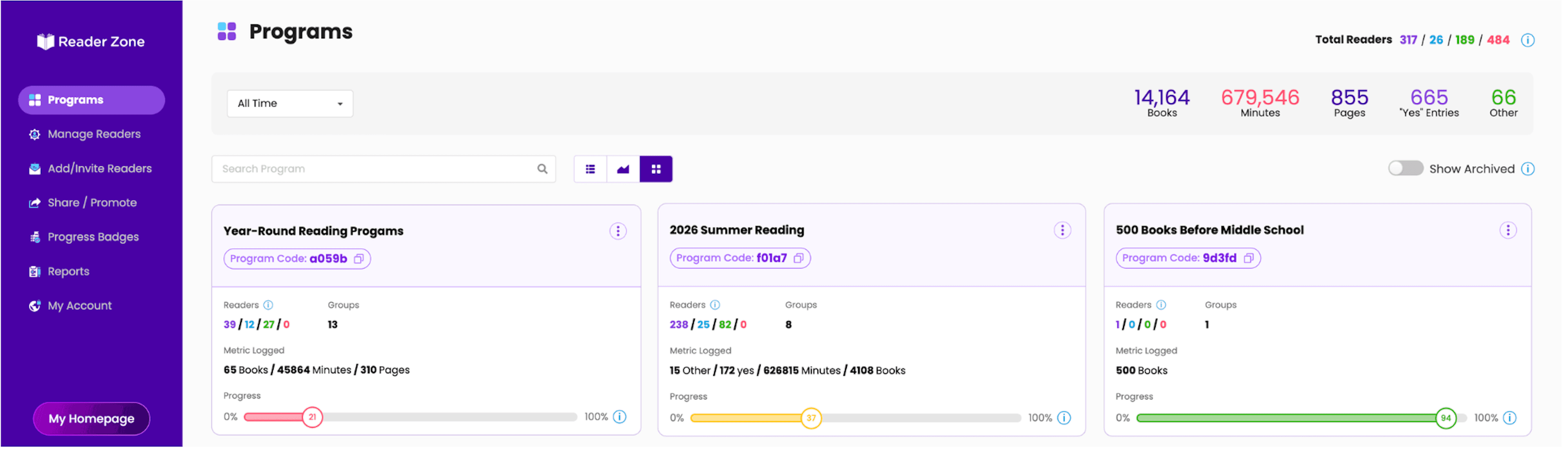
Run summer reading, classroom reading, 1,000 Books Before Kindergarten, winter reading, book clubs, school-wide challenges, and year-round programs from the same account.
Create Groups for classrooms, grades, age ranges, library branches, reading levels, or any other participant structure that fits your program. Each Group can have its own dates, goals, Awards, questions, Book Bank, and tracking method.
Include Activities such as story walks, library events, reading outside, or other experiences. Activities can track reading or use a custom metric defined by the organizer.
Use Quick Start for a straightforward program, Advanced Setup for more detailed configuration, or begin with a Template Program and customize it. Reader Zone also includes CSLP program parameters as templates for libraries using the Collaborative Summer Library Program.
Clone an existing Program and carry over its configuration, including Groups, dates, Awards, and other program parameters. Choose whether to bring the existing readers into the cloned Program or start the new Program with no readers.
Not every reading program measures success the same way. Reader Zone lets each Group or Activity track the metric that makes sense for its readers.
Create daily, weekly, monthly, or full-program goals where appropriate, or let readers simply record what they read without a required target.
Use a Yes/No Group for a daily question such as “Did you read today?” Readers can submit one Yes/No response every 24 hours.
If your program needs to track something other than reading totals, create a custom metric for an Activity.
While a Program is active, readers can enter reading for eligible dates within the Program. When the Program ends, the organizer can either close entries or allow a grace period of up to 10 days for past reading.
Bulk Reading Entries let organizers select multiple readers and add the same reading or Activity entry for one or more dates. It is useful when a whole class reads together or staff need to enter offline participation.
Reader Zone is designed to keep the technology out of the way of the reading.
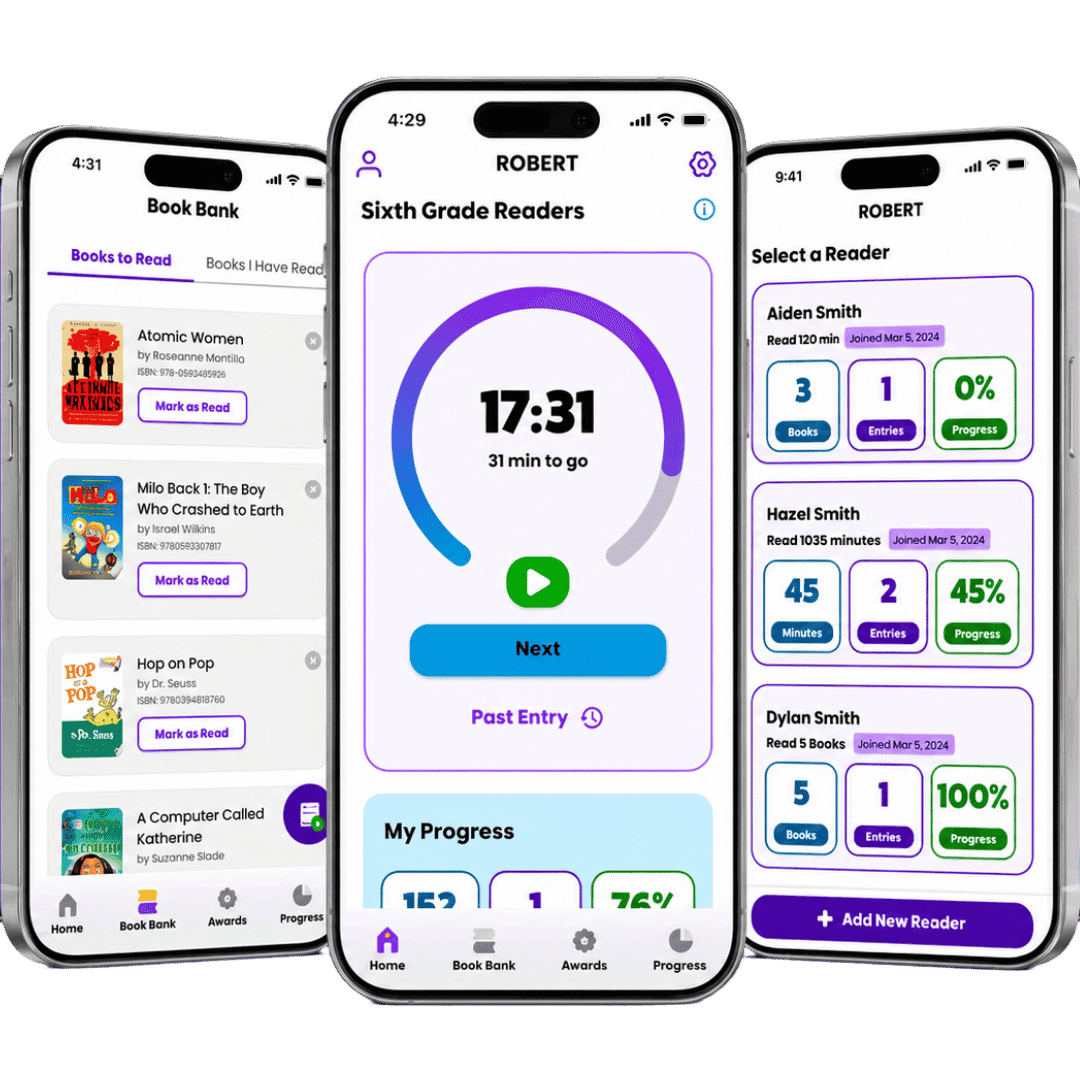
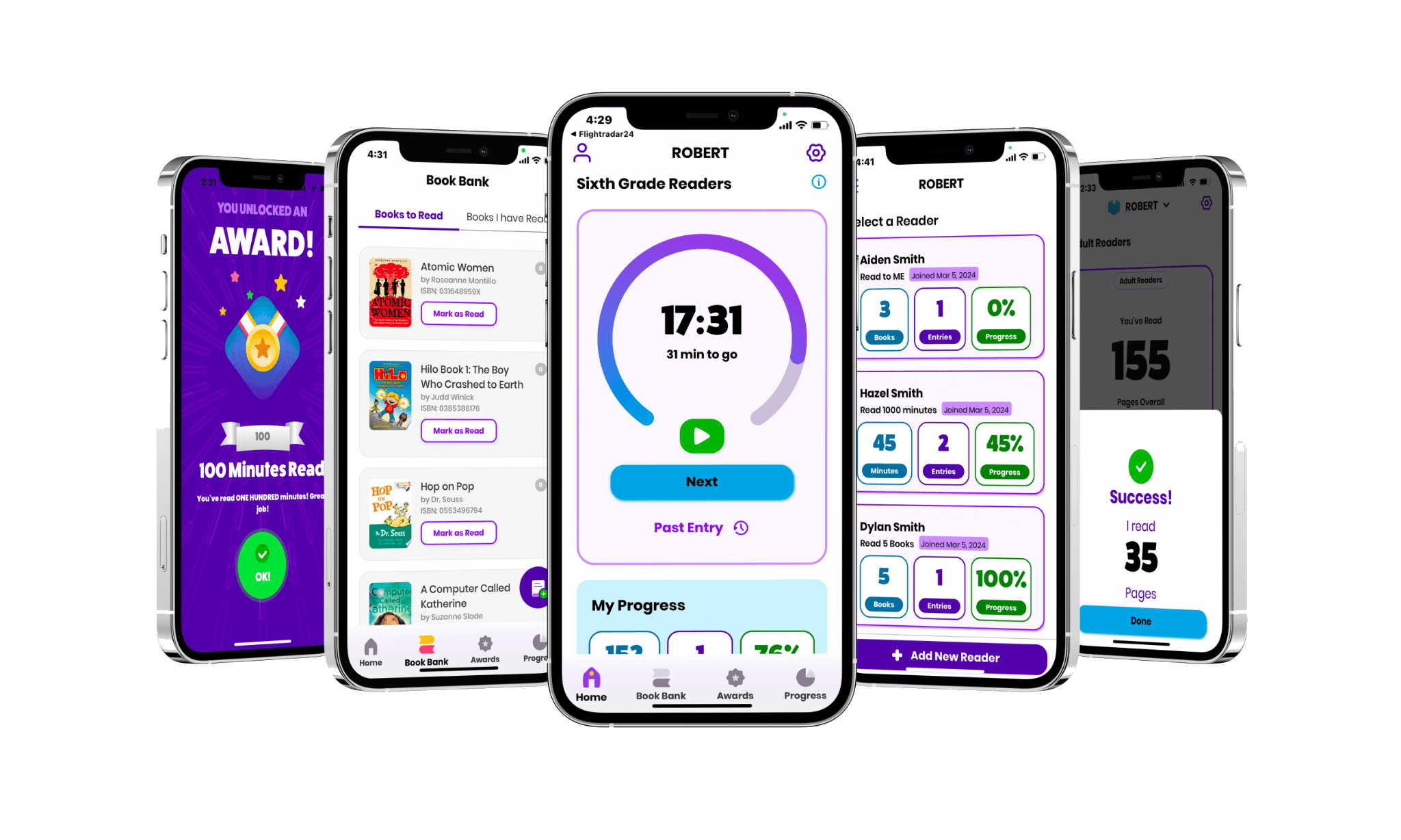
Readers can participate through the Reader Zone mobile app on iPhone, iPad, and Android devices.
The Reader Zone mobile app is fully available in both English and Spanish, so Spanish-speaking patrons, students, parents, and readers can participate in Reader Zone Programs in Spanish.
The Desktop Reader Portal lets readers create an account, join Programs, make reading entries, and manage their participation from a web browser. The same Reader account can be used in the mobile app and on the desktop portal.
Parents and guardians can manage multiple readers through one account, making it easier for families with several children to participate.
Readers can participate in multiple Programs and Groups or Activities without creating separate Reader Zone accounts.
Every community enrolls readers differently. Reader Zone supports simple self-service joining as well as organizer-managed enrollment.
Readers can enter a Program Code to join the Reading Program.
Schools and libraries can publish a Reader Zone Homepage with their logo, instructions, and available Reading Programs. Share the page through a link or QR code on posters, handouts, websites, social media, or library displays.
Organizers can invite individual readers into a Program.
Upload CSV, XLS, or XLSX files to invite a larger list of readers without entering them one at a time.
Create an Internal Reader when a participant is not managing their own Reader Zone account. Staff can enter and manage participation on the reader's behalf. If that reader later wants to manage their own account, an Internal Reader can be handed off into a conventional Reader account without starting over.
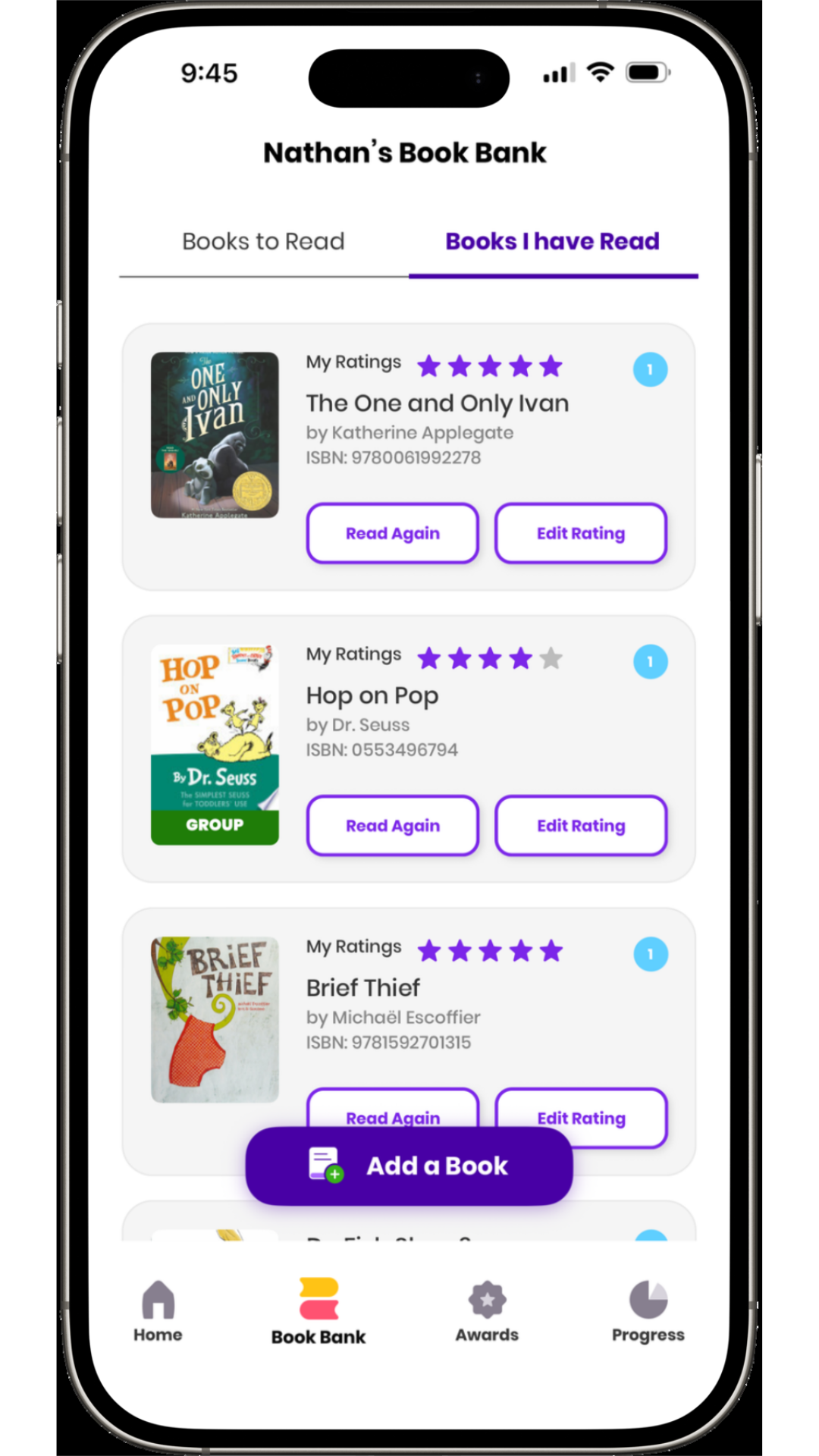
Book Bank gives readers a persistent place to keep track of the books connected to their reading life and Reading Programs.
Readers can keep track of books they are currently reading, have finished, or want to read.
Find a title in Reader Zone's book database or use barcode scanning in the mobile app to add a physical book quickly.
If a title is not in the database, a reader can create a Custom Book by entering the title and adding a photograph. Custom Books are created from the Reader side. Organizers cannot create a Custom Book on behalf of a reader.
Reader Zone supports rereading, which is especially useful for early-literacy programs such as 1,000 Books Before Kindergarten.
Readers can leave a review after finishing a book.
Organizers can add books to a Group or Activity Book Bank to create suggested, recommended, or required reading lists for a Program.
Reader Zone can add as much or as little structure as your program needs. Use individual goals, Awards, leaderboards, prizes, Tasks, or Raffles without forcing every Program to become a competition.
Create Awards that unlock when a reader reaches a milestone. Customize the Award threshold, image, message, and visibility. An Award can simply celebrate progress or give instructions for a real-world prize.
Run contests between individual readers or Groups. Readers can see standings in real time in both the mobile app and Desktop Reader Portal. Leaderboards are optional.
Tasks are internal staff actions connected to a reader. Staff can track prize pickup or other follow-up, and Tasks can exist with or without an Award trigger.
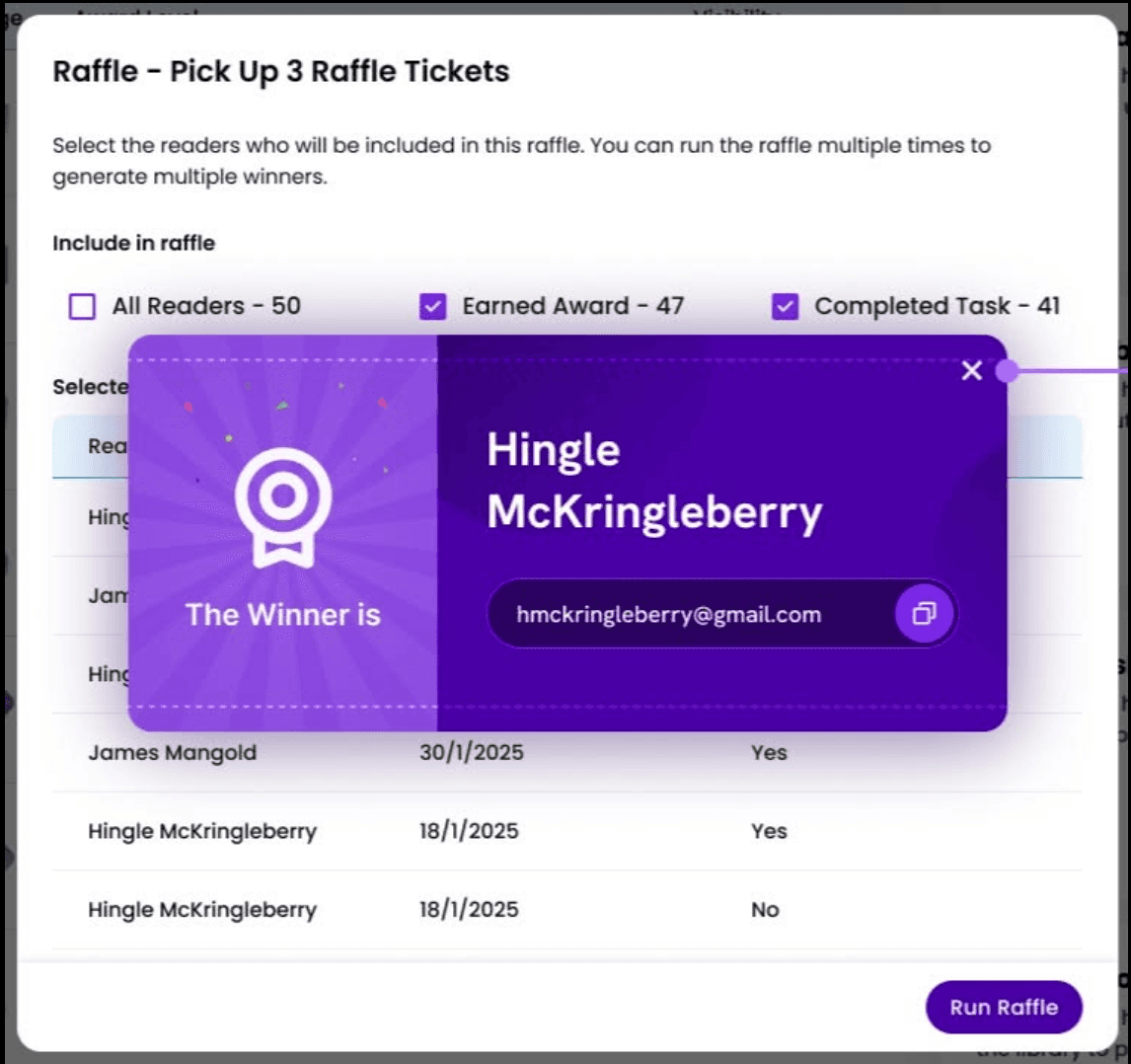
Run a random drawing from all participants or limit eligibility to readers who earned a selected Award or completed a selected Task. Run multiple drawings and keep a history of past results.
Add Custom Questions to your Reading Program instead of maintaining a separate form.
Send customizable email messages or push notifications to an entire Program, a Group or Activity, or selected participants. Send immediately or schedule a message for later, then edit or cancel future scheduled notifications before they are sent.
Product boundary: Reader Zone communications are organizer-controlled. Reader Zone does not currently provide saved notification templates or send behavior-triggered automatic reminders or automated nurture sequences.
Every participant has an individual Reader Page where authorized organizers can understand and manage that reader in more detail.
From a Reader Page, organizers can view progress and activity, see Awards and Tasks, manage Program and Group participation, make or edit reading entries, work with Book Bank information where supported, and access internal staff Notes.
Add private notes to an individual Reader for staff context, including prize pickup information, follow-up, participation context, or program accommodations.
Select multiple readers to make bulk reading entries, move them between Groups or Activities, or perform other supported bulk management actions.
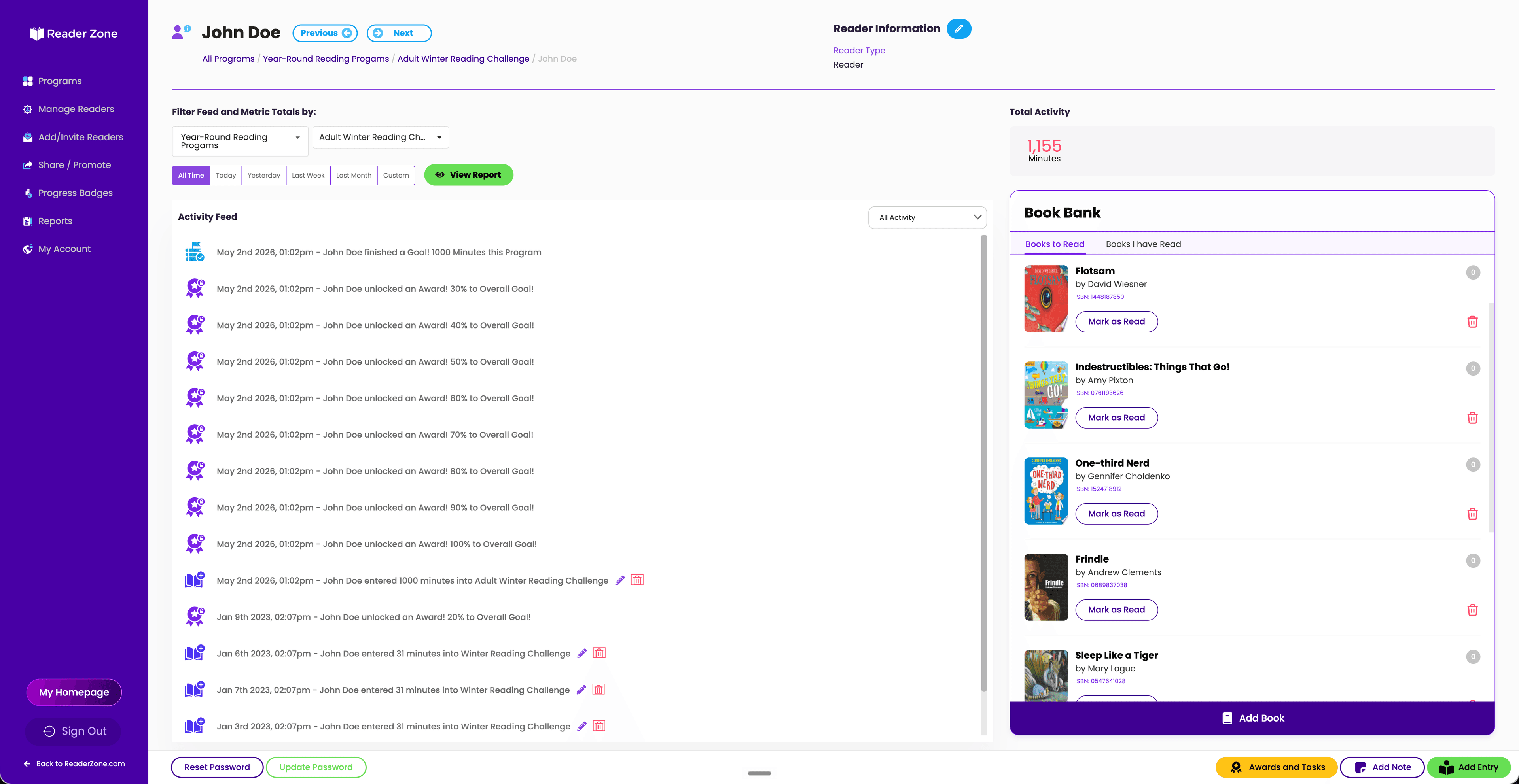
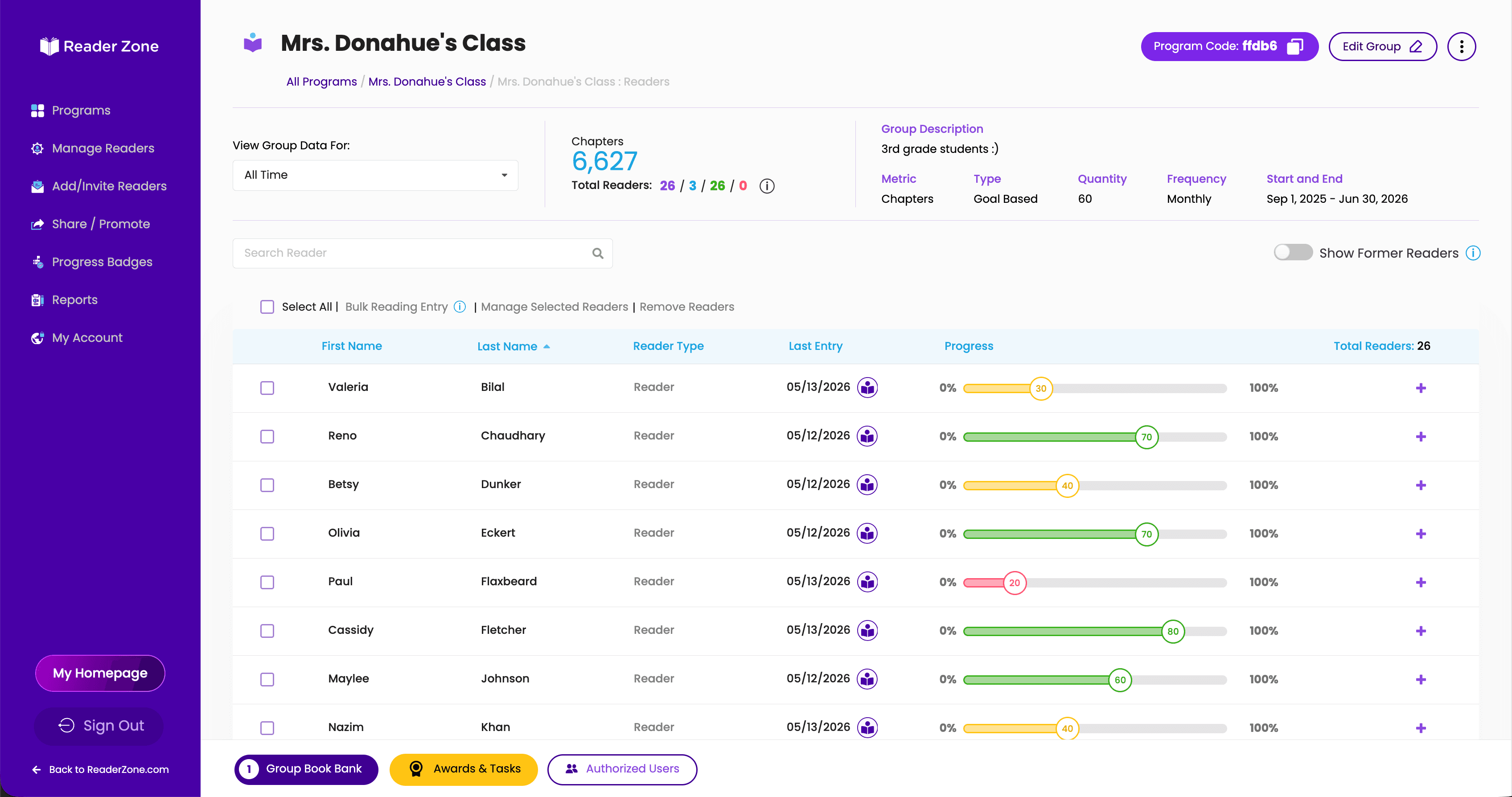
Paper logs usually tell you what happened after the fact. Reader Zone gives organizers visibility while a Program is still underway.
See reading entries, Awards, books, joining activity, and other Reader activity as it happens.
Open a Reader Page to understand how one participant is doing.
See how a classroom, age group, branch, or other Group is participating.
Understand the Reading Program as a whole without manually combining paper logs or spreadsheets.
For teachers, that means seeing who may need encouragement before the end of the week. For libraries, it means knowing whether the community is engaging before the summer is over.
Reader Zone provides multiple report and spreadsheet exports so organizers can analyze participation, manage staff workflows, and report results.
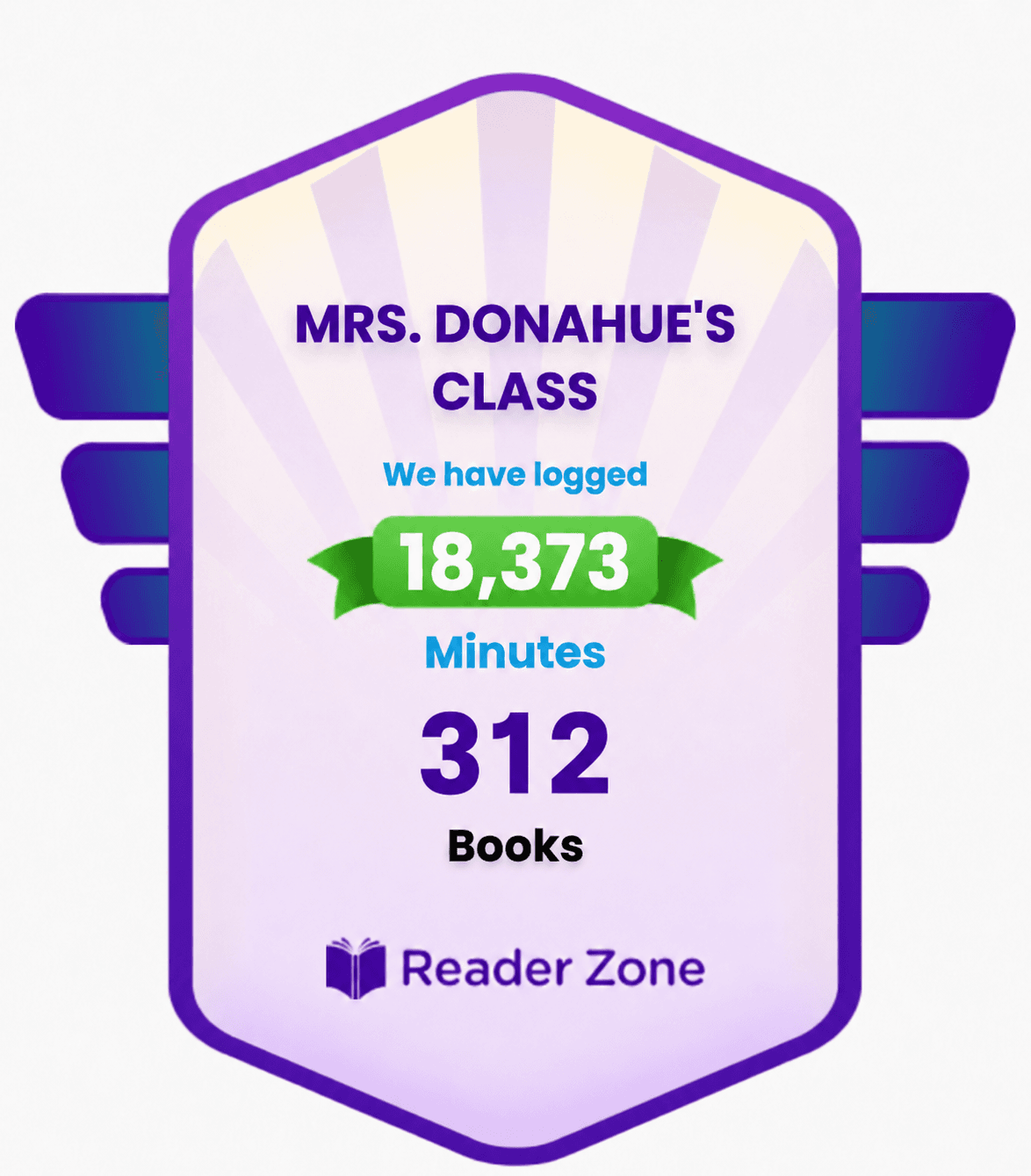
Turn live Reading Program data into a visual your school, library, families, or community can see.
Choose a Program, selected Groups, a date range, and whether you want to show cumulative or average data. Add your school or library logo.
Download the Progress Badge as an image and use it in newsletters, social posts, presentations, or program updates.
Reader Zone can generate HTML for a Progress Badge that you can embed on an external website. The badge can update as Reader Zone data changes.
Create a public leaderboard showing selected Readers or Groups and share it outside Reader Zone.
Reader Zone is built around Programs, Groups, Activities, and permissions so the software can fit the way your organization already runs reading programs.
Run a classroom reading log, monthly challenge, or reading goal.
Organize Groups by classroom or grade, or give different teachers their own Programs.
Run multiple school and district-wide Programs and give staff access only to the Programs and Groups they need.
Run Kids, Teen, Adult, 1,000 Books Before Kindergarten, Winter Reading, Summer Reading, and other Programs from one account.
Organize Programs by branch, age group, challenge, or any other structure that fits your system.
Reader Zone supports different administrative roles and scoped access.
The Owner has full account-level control.
Managers can manage assigned areas and create Reading Programs.
Authorized Users can be given access to selected Programs and Groups, with appropriate read or write permissions.
Classroom EditionUp to 40 readers and one Authorized User
School and Library accountsUnlimited Authorized Users, with reader capacity based on the organization's plan
All other Reader Zone product features are available across both product types.
Schools can use existing roster information to automatically populate Reader Zone with students based on classes or other desired roster structures.
Looking for something specific? Here is a more detailed view of the tools available across Reader Zone.
Reader Zone is reading program software for teachers, schools, libraries, families, and other reading program organizers. It combines program setup, reading and Activity tracking, reader management, goals, Awards, leaderboards, communication, Book Bank, reporting, and other tools in one platform. It can be used as a digital reading log, but it is designed to manage the broader reading program around the log as well.
Reader Zone can track minutes, pages, books, chapters, Yes/No participation, and custom Activity metrics. Organizers can use goal-based Programs or open reading logs and can configure different Groups or Activities to track different things.
Yes. Libraries can create multiple age Groups, reading goals, Activities, Awards, Tasks, Raffles, Book Banks, notifications, public joining pages, Progress Badges, and reports within a summer Reading Program. Reader Zone also supports CSLP template program parameters.
Yes. Reader Zone supports long-running Programs, book tracking, rereading, family accounts, milestone Awards, and Book Bank functionality that fit 1,000 Books Before Kindergarten programs.
Yes. Readers can participate through the Desktop Reader Portal from a web browser.
The Reader Zone mobile app is fully available in both English and Spanish.
Yes. One account can manage multiple Reading Programs, and each Program can contain multiple Groups or Activities with different settings.
Yes. Reader Zone can run optional contests between individual Readers or Groups. Participants can see standings in the mobile app and Desktop Reader Portal, and organizers can publish Leaderboard Progress Badges outside Reader Zone.
Yes. Awards can mark milestones, Tasks can track internal prize fulfillment, and the Raffle tool can draw from all participants or from Readers who earned a selected Award or completed a selected Task.
Yes. Activities can track reading or use a custom metric for experiences such as events, Story Walks, or other program participation.
Yes. Reader Zone supports Clever and ClassLink rostering so schools can use existing roster information to populate Programs with students.
Yes. Reader Zone supports Google, Microsoft, and Apple SSO.
Yes. Reader Zone provides multiple spreadsheet reports, including Reader/User, Awards, Group, and Program reporting. Multiple spreadsheet files can also be packaged into a ZIP download where applicable.
Yes. Reader Zone includes Owner, Manager, and Authorized User roles and can scope access to selected Programs and Groups.
The core product features are the same. Classroom Edition supports up to 40 readers and one Authorized User. School and Library accounts can support unlimited Authorized Users, and reader capacity is based on the organization's plan.
Whether you are running one classroom, a school-wide challenge, or a library program for the entire community, Reader Zone gives you the tools to build it without making participation complicated.