
children participated, compared with the library's usual 65
Summer reading for libraries
Summer reading program software built for libraries and readers.
Run a summer reading program that is simple for patrons, flexible for every age group, active all summer, and easy to celebrate with your community.
Purpose-built for reading program management, from registration through final reports.
One small library's experience
A summer with less paper and more visible participation.
Chantel Rindt, Director of Lillian Tear Library in Sedgwick, Kansas, reported these results from her library's summer reading program.
age groups took part in a minutes-based summer challenge
than in any previous program she had run, according to Rindt
to set up her first program while learning the system, she reported
“They read more this summer than in any program that I've run so far.”
Keep the work in perspective
Summer reading should create engagement, not paperwork.
Paper logs and spreadsheets can leave staff adding totals, reconciling prize records, answering registration questions, and rebuilding the story of the program after it ends.
Reader Zone was designed around the actual work of running reading programs. It gives librarians flexibility behind the scenes while keeping the patron experience direct and easy to understand.
Read: 5 Common Summer Reading Mistakes1
Adapt
Build the right experience for each age group without splitting summer into disconnected systems.
2
Engage
Use progress, awards, friendly competition, and library-controlled messages to keep the program active.
3
Report
Turn participation data into useful reports and a story your community can celebrate.
One summer, many readers
Build one program for your whole community.
A Reading Program can contain different Groups and Activities, so each audience gets an appropriate way to participate while staff manage one cohesive summer initiative.
Set a path for every age
- Early readersBooks or simple participation goals
- ElementaryMinutes, pages, books, or Yes/No reading
- TeensGoals, open logs, contests, or Activities
- AdultsBooks, minutes, challenges, or book clubs
Choose what each Group tracks
MinutesPagesBooksChaptersYes / NoCustom Activities
Each Group or Activity can have its own dates, goals, Awards, Tasks, questions, Book Bank, and participation settings.
Explore the complete feature set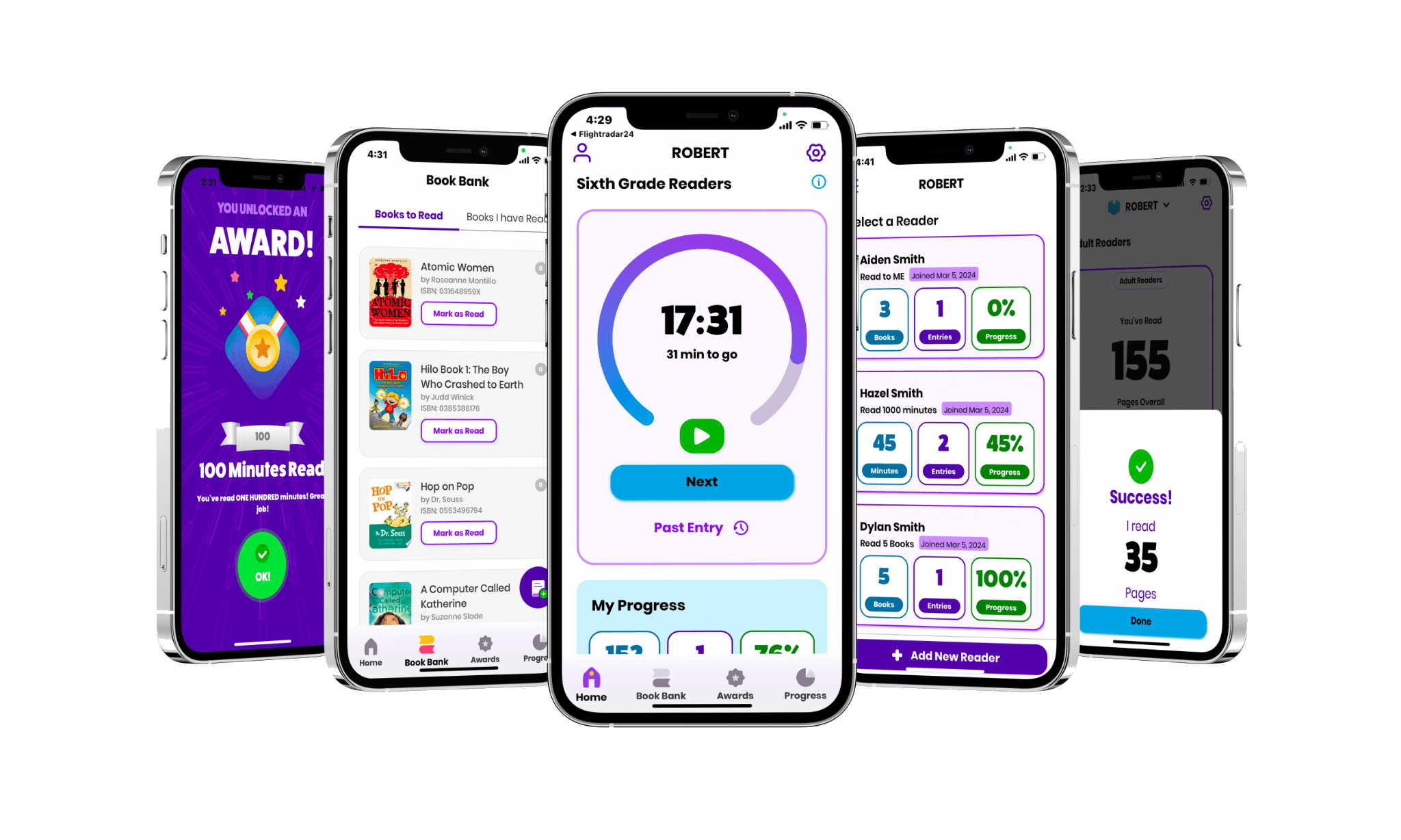
Simple for patrons
Log the reading. See the progress. Get back to the book.
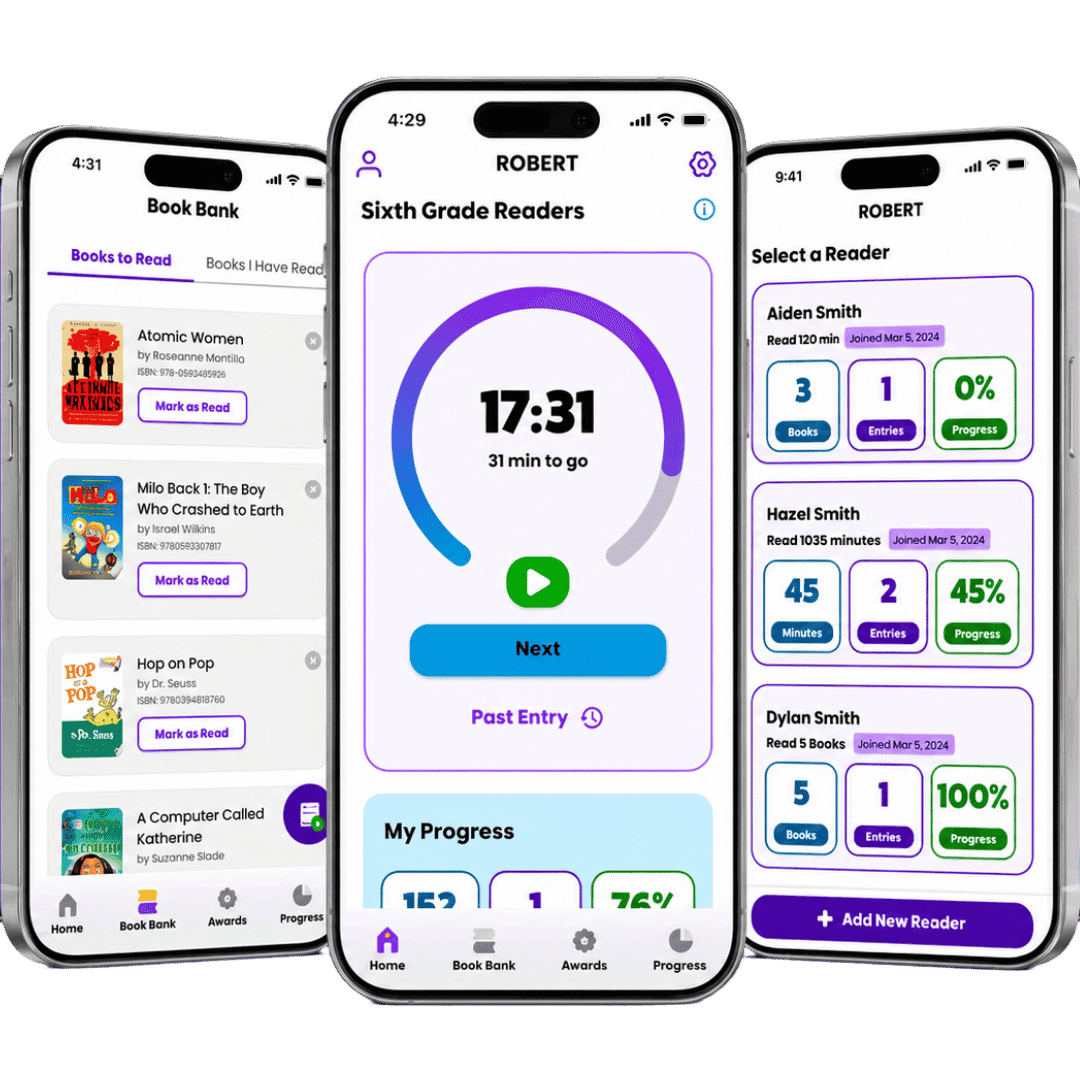
Reader Zone keeps the most common participant actions close at hand. Patrons can join, make an entry, see progress, check Awards, and keep a Book Bank without turning reading into another complicated task.
- Participate in the iOS or Android app, or through the Desktop Reader Portal
- Manage multiple children from one family account
- Use the mobile reader experience in English or Spanish
- Join through a Program Code, public program page, link, or QR code
- Use the built-in timer, track books, and view progress
Registration is the beginning, not the finish line.
Summer gets busy, and early enthusiasm can fade. Send a reading reminder, promote an upcoming library event, or celebrate progress to give readers a reason to reconnect.
Awards and progress
Create custom milestone Awards and use the message to tell a Reader when a real-world prize is ready.
Email and push messages
Send or schedule library-controlled reminders, event updates, helpful information, and celebrations for a Program, Group, or selected Readers.
Optional leaderboards and Raffles
Add friendly competition when it fits your community, or use Raffles and individual progress when ranking Readers is not the right approach.
Reader motivation in action“They would open up the app and they'd see that leaderboard and they would say, ‘Oh my gosh, so and so is only twenty minutes behind me. I better go read.’”
Practical for staff
Staff should engage with patrons, not papers.
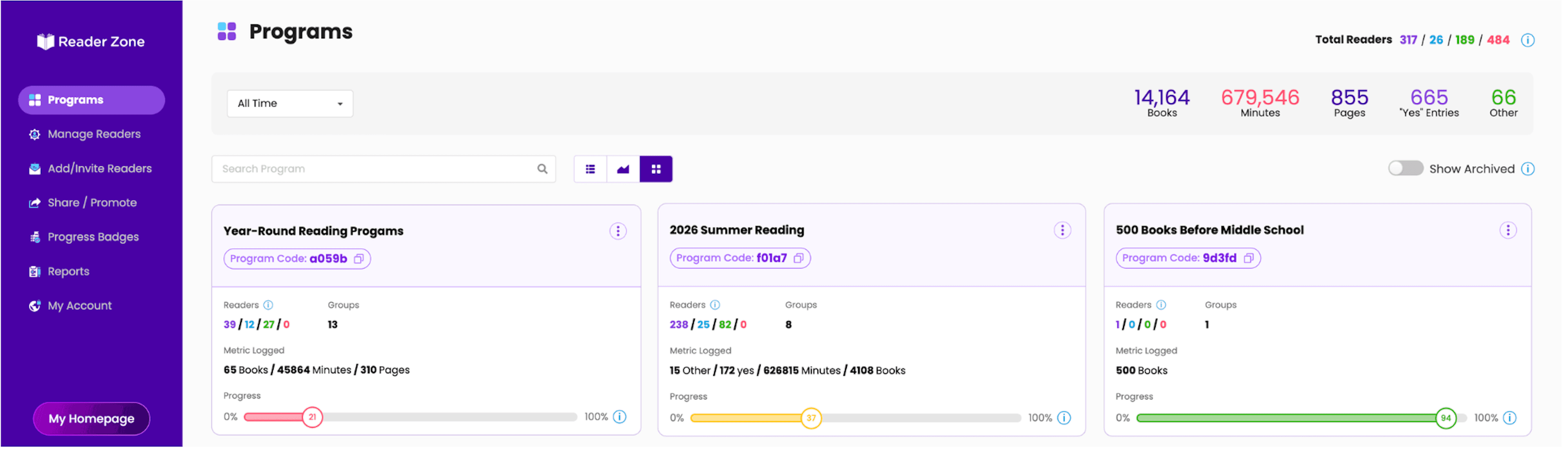
Build the program, watch participation while it is happening, and handle the day-to-day exceptions from the same organizer dashboard.
- Start with Quick Start, a Template Program, a CSLP template, or a cloned Program
- Manage individual Readers or complete supported actions in bulk
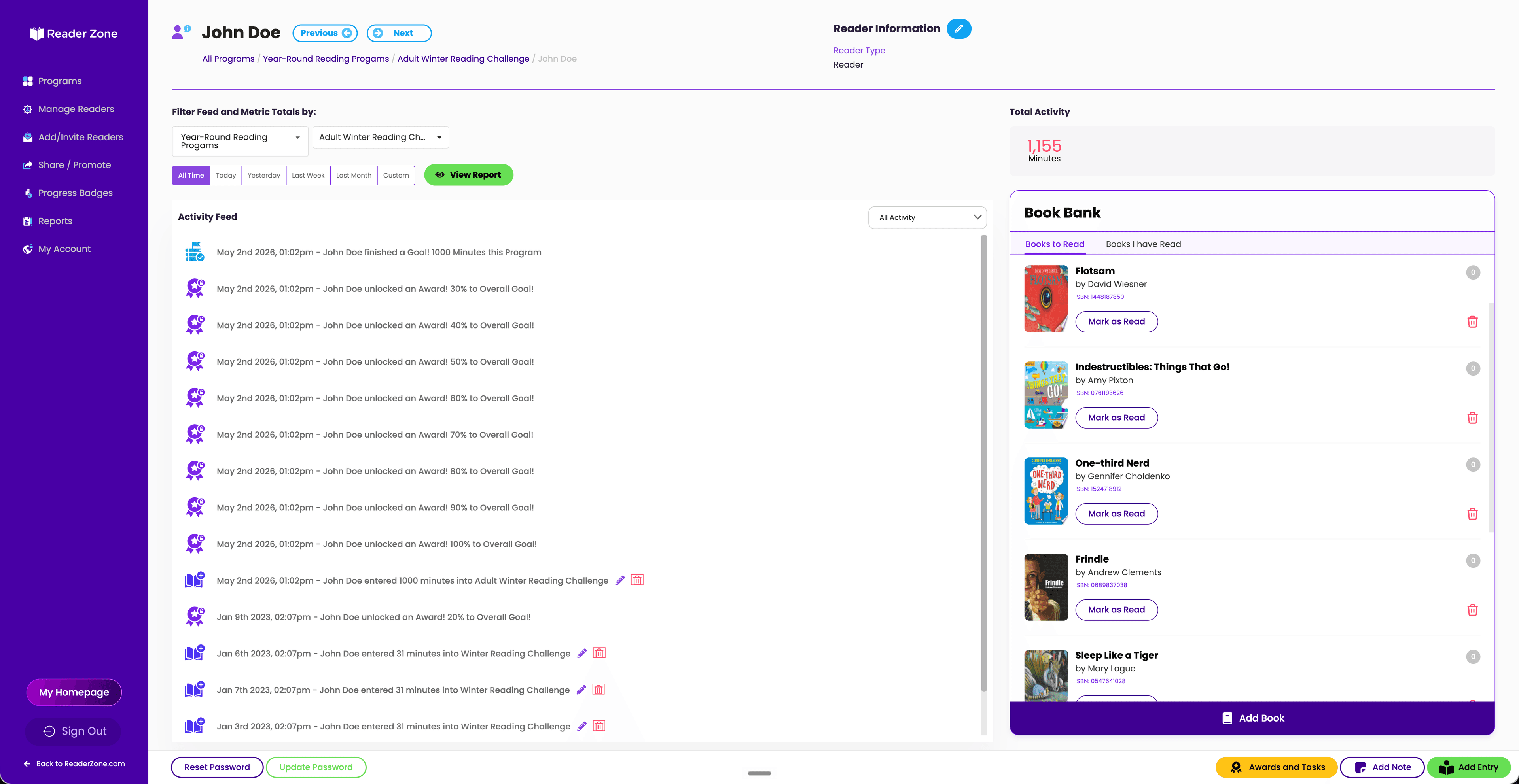
- Add or correct entries and keep internal Reader Notes
- Use Tasks to track prize pickup and other staff follow-up
- Give library staff scoped access with unlimited Authorized Users on library plans
“Reader Zone made it really easy. Not only is everything customizable, but it's very quick.”
Show the impact
Share and celebrate success.
Show your community how amazing its readers are. Share live progress while summer is underway, then turn final results into a clear story for patrons and stakeholders.
- Follow progress in real time
- Use the Activity Feed and individual, Group, and Program views while summer is still underway.
- Build stakeholder-ready summaries
- Download Reader, Award, Group, and Program spreadsheet reports for the analysis or presentation you need.
- Celebrate in public
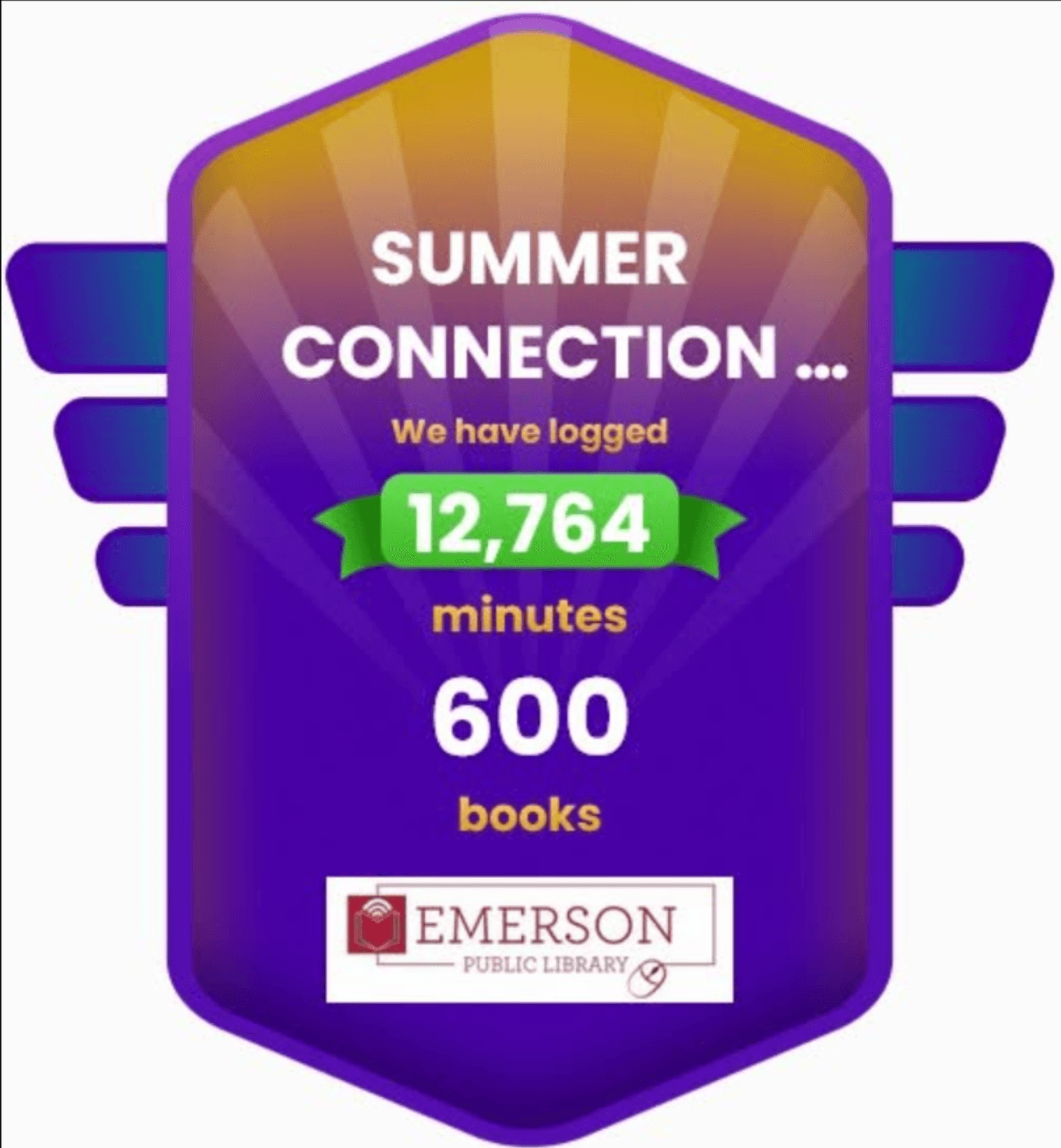
- Create a Progress Badge as an image or live website embed so patrons can see the reading add up.
Customer story
For one solo librarian, going digital made the whole summer easier to see.
Before Reader Zone, Chantel Rindt added paper logs every week for about 65 children while also handling every other part of the library. In her first Reader Zone summer, she organized four age Groups around minutes read and reported 104 participants.
Children who could not attend in-person programming could still log reading and receive rewards. The optional leaderboard gave some Readers a reason to pick up another book. Most importantly, Rindt could print the weekly reports she needed without calculating every paper log herself.
This was one library's experience, not a universal promise. It shows what becomes possible when participation, progress, and staff records live together.
Keep the momentum
Don't lose the momentum you built this summer.
Use the same account to carry the relationships and habits built during summer into the rest of the year.
Learn more about Reader Zone for libraries- 11,000 Books Before Kindergarten
- 2Winter and seasonal reading
- 3Teen and adult challenges
- 4Book clubs and genre challenges
- 5Monthly goals and milestone programs
Human help matters
You do not have to figure out your program alone.
Bring us your goals. We can review your program structure, walk staff through the dashboard, and help build the program with you.
“They want you to succeed in your library.”
Frequently asked questions
What librarians ask before making a change.
Questions drawn from real library evaluations and answered using Reader Zone's current product documentation.
Can different age groups track different summer reading goals?
Yes. One Reading Program can contain multiple Groups or Activities, each with its own dates, goal structure, Awards, questions, Book Bank, and tracking settings. A library can give early readers, children, teens, and adults experiences that fit them while managing the summer as one cohesive program.
What can patrons track in Reader Zone?
Reader Zone can track minutes, pages, books, chapters, Yes/No participation, and custom Activity metrics. Groups can use goals or an open reading log, and different Groups in the same Program can track different metrics.
Can families manage more than one reader?
Yes. A parent or guardian can manage multiple Readers from one family account, including children who belong to different Programs or age Groups.
What if a patron does not have a smartphone?
Patrons can create an account, join Programs, and log reading through the Desktop Reader Portal. Libraries can also create Internal Readers and enter reading on behalf of patrons who prefer paper logs or staff-supported participation.
Can library staff add or correct reading entries?
Yes. Authorized staff can make and edit entries on an individual Reader Page. Reader Zone also supports bulk entries when the same reading or Activity entry applies to multiple selected Readers.
Can Reader Zone help us manage prizes and raffles?
Yes. Awards can recognize reader milestones, internal Tasks can help staff track prize fulfillment, and the built-in Raffle tool can draw from all participants or from Readers who earned a selected Award or completed a selected Task.
Can we send summer reading reminders and event updates?
Yes. Organizers can send custom email messages and push notifications to an entire Program, a Group or Activity, or selected Readers. Messages can be sent immediately or scheduled. Reader Zone does not send behavior-triggered reminders automatically, so the library stays in control of its communication.
Can we export summer reading reports?
Yes. Reader Zone provides downloadable Reader, Award, Group, and Program spreadsheet reports, plus additional report views and multi-file ZIP downloads where applicable. Progress Badges can also turn live results into a shareable image or website embed.
Can we use Reader Zone after summer?
Yes. Libraries can run multiple Reading Programs from one account, including 1,000 Books Before Kindergarten, winter reading, teen and adult challenges, book clubs, genre challenges, and other year-round reading initiatives.
How long does it take to set up a summer reading program?
Reader Zone includes Quick Start, Template Programs, CSLP templates, and Program cloning to reduce setup work. Setup time depends on the program. Chantel Rindt of Lillian Tear Library reported that her first program took about 15 to 20 minutes to set up while she was still learning the system.
Run a summer reading program that is easier to join and easier to manage.
Reader Zone handles the mechanics so your library can put more energy into building a culture of reading.