Classroom Launchpad

Launch your classroom reading program.

Set up your program, invite families, and confirm the first reading entry—all from one place.

Already set up? Go straight to the Family Launch Kit
Start here

Set up your program.

Use the walkthrough to choose a template, confirm the goal and dates, and find your classroom code.

Setup walkthrough coming soonThe setup video will be available here soon.
Family Launch Kit

Invite families without starting from scratch.

Copy the ready-to-send message or share the printable handout.

Before you send anything: copy your classroom program code from Reader Zone and replace X X X X X in the family email.
Copy + paste

Family introduction message

Send this by email, text, Remind, ClassDojo, or whatever your families already use.

Preview the full family message

Dear Family,

We are thrilled to begin a new way to help your student log their reading.

Instead of a paper reading log that goes between home and school, we are going to use an app called Reader Zone.

With Reader Zone, you can make reading entries anywhere, anytime.

What does this mean? You won’t see a paper log that goes back and forth from home to school. And you can see all your student’s reading for the entire school year.

It’s simple to start. Just do the following:

  1. Download the Reader Zone mobile app at the App Store or Google Play.
  2. Use your student’s ClassLink or school’s Single Sign One to access your Reader Zone account.
  3. If prompted, join our reading program by entering this code when prompted: X X X X X

Using the app will allow us to better track your student’s reading and help our entire class make excellent reading progress all year.

Please reach out with any questions and we look forward to an amazing year together!

Sincerely,

<your name>
Your first week

Get the first reading entry.

Once families are connected, focus on participation—not perfect setup.

  1. 1

    Confirm the first entry

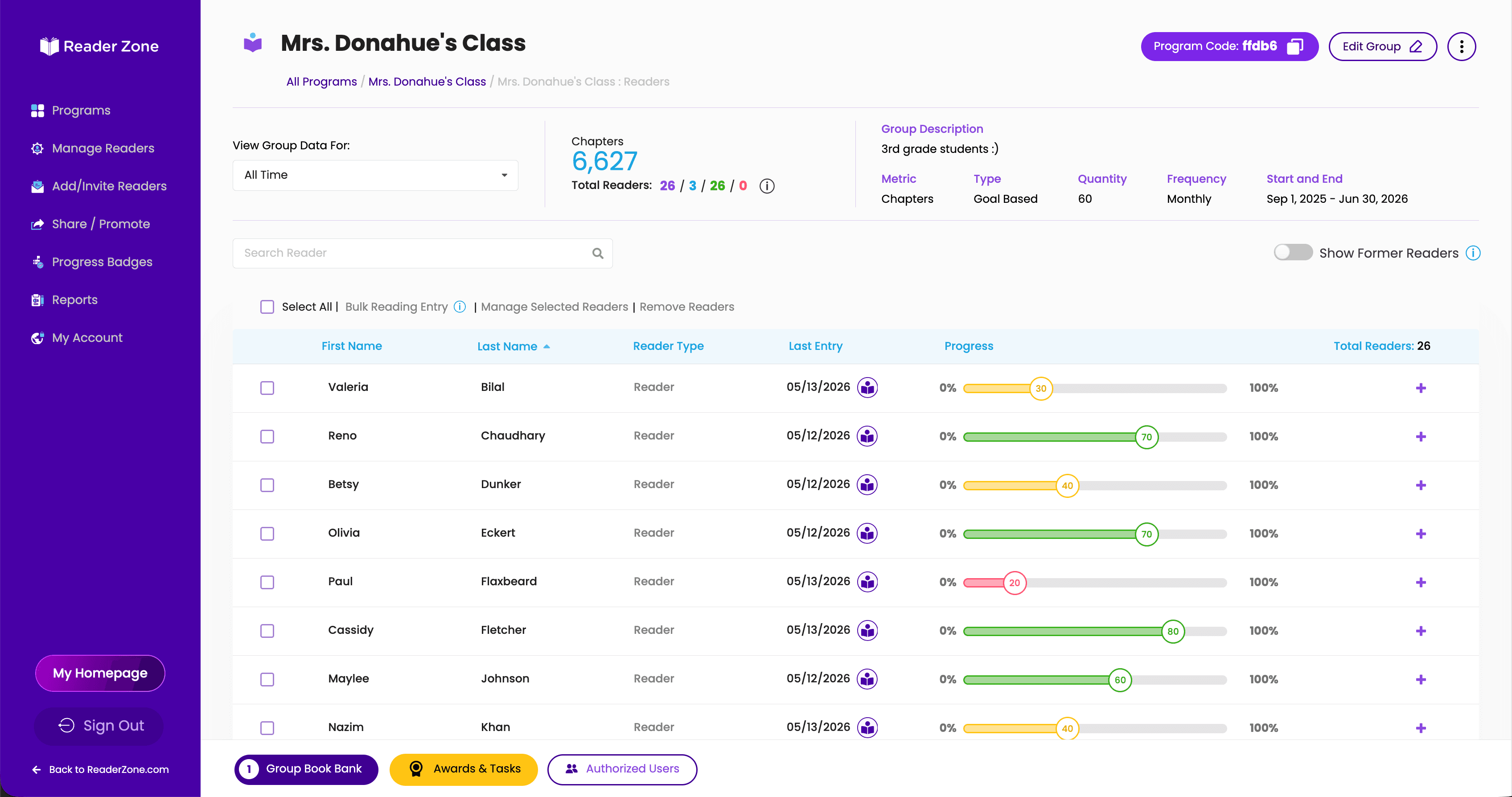
    Open your dashboard and make sure the activity appears.

  2. 2

    Nudge families who need it

    After a couple of days, resend the program code to families who have not joined.

  3. 3

    Celebrate the class total

    Show students their progress and make participation visible.

Classroom activity
Reader Zone classroom dashboard showing readers, recent entries, and progress
Real reading activity gives you something to encourage, celebrate, and act on.
Need a hand?

Questions? We'll help you launch.

Contact us if anything is unclear while you set up your classroom.