
School and district leaders
See the whole initiative.
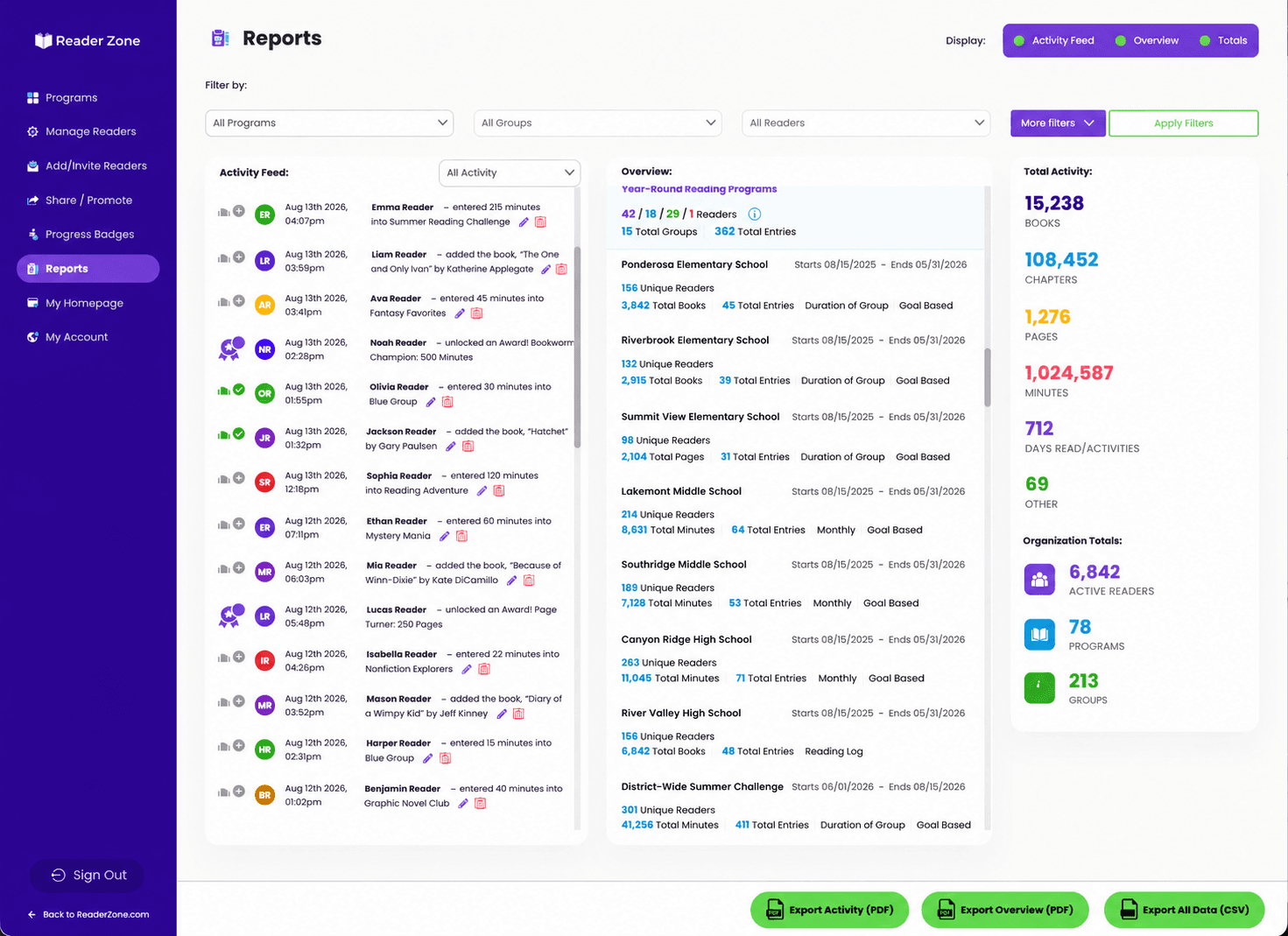
Review organization-wide activity, break participation down by school, compare schools, and turn reading totals into reports for staff, families, boards, or other stakeholders.
Bring schoolwide challenges, family reading entries, and staff reporting into one place. Give each classroom its own goals while your school follows participation together.
For public, private, charter, virtual, and homeschool organizations serving grades K–12.
Across Reader Zone’s school, library, and community programs.
Review organization-wide activity, break participation down by school, compare schools, and turn reading totals into reports for staff, families, boards, or other stakeholders.
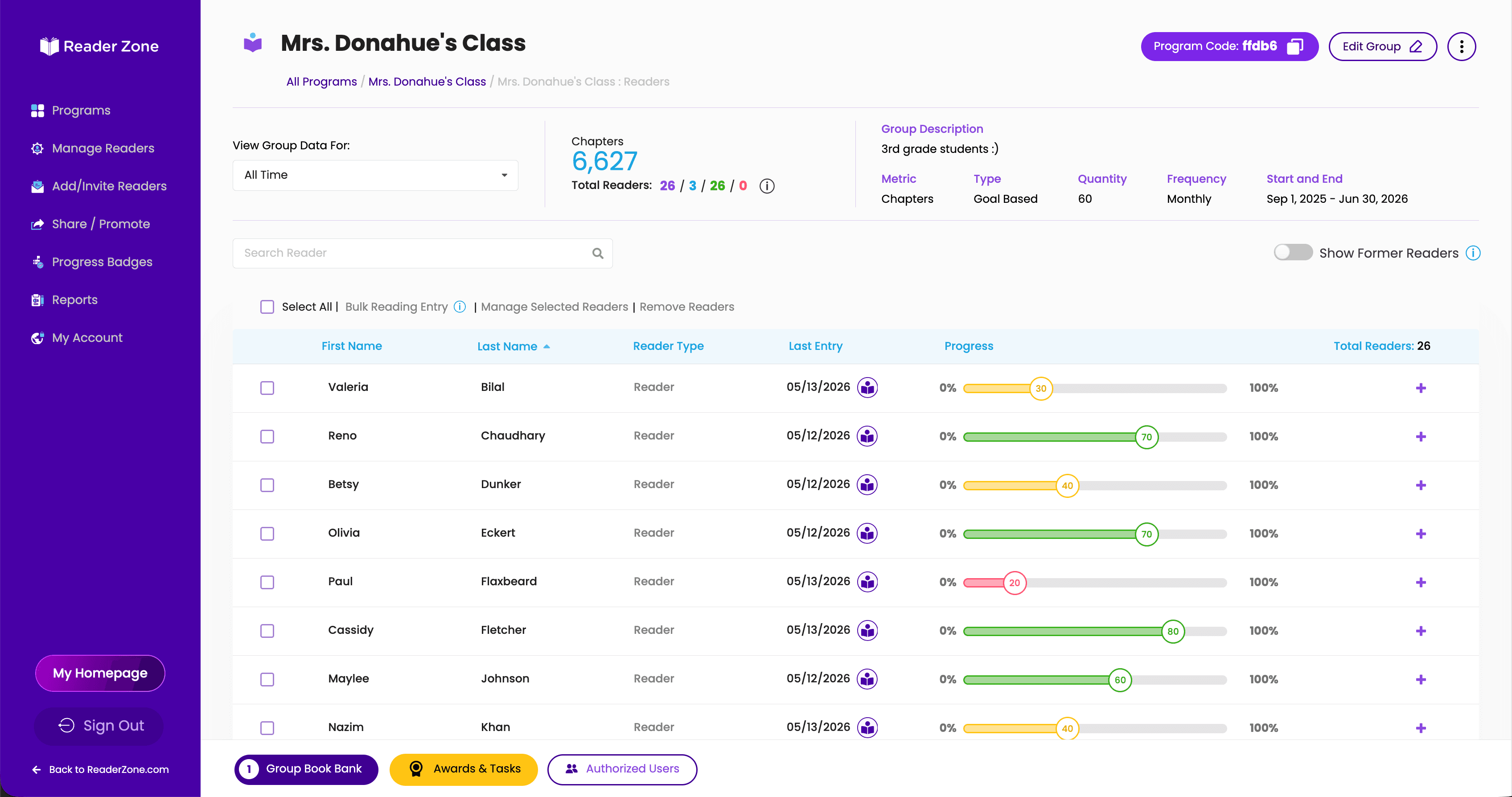
See Group and Reader progress, manage assigned students, make supported bulk entries, and recognize who is building momentum or may need encouragement.
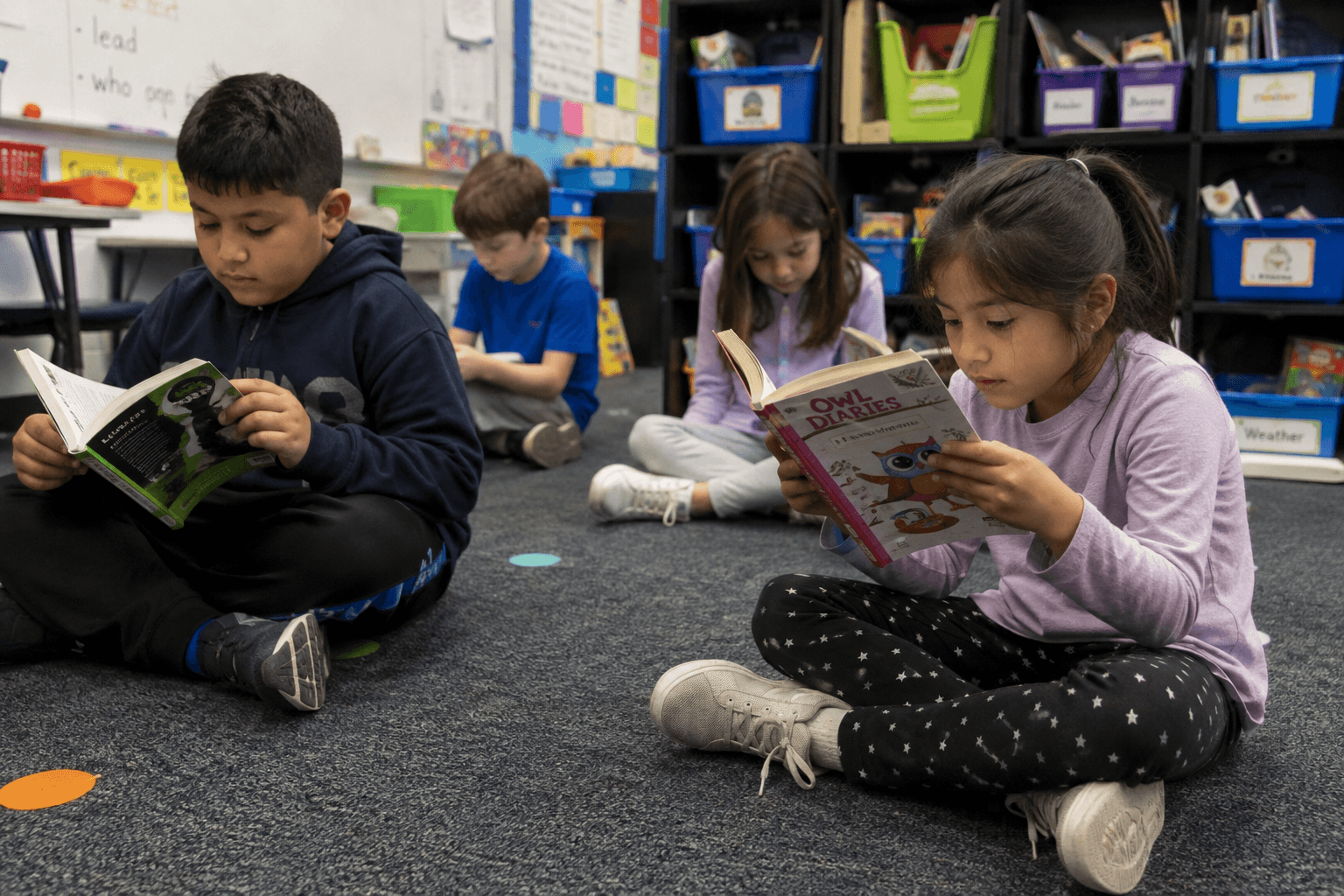
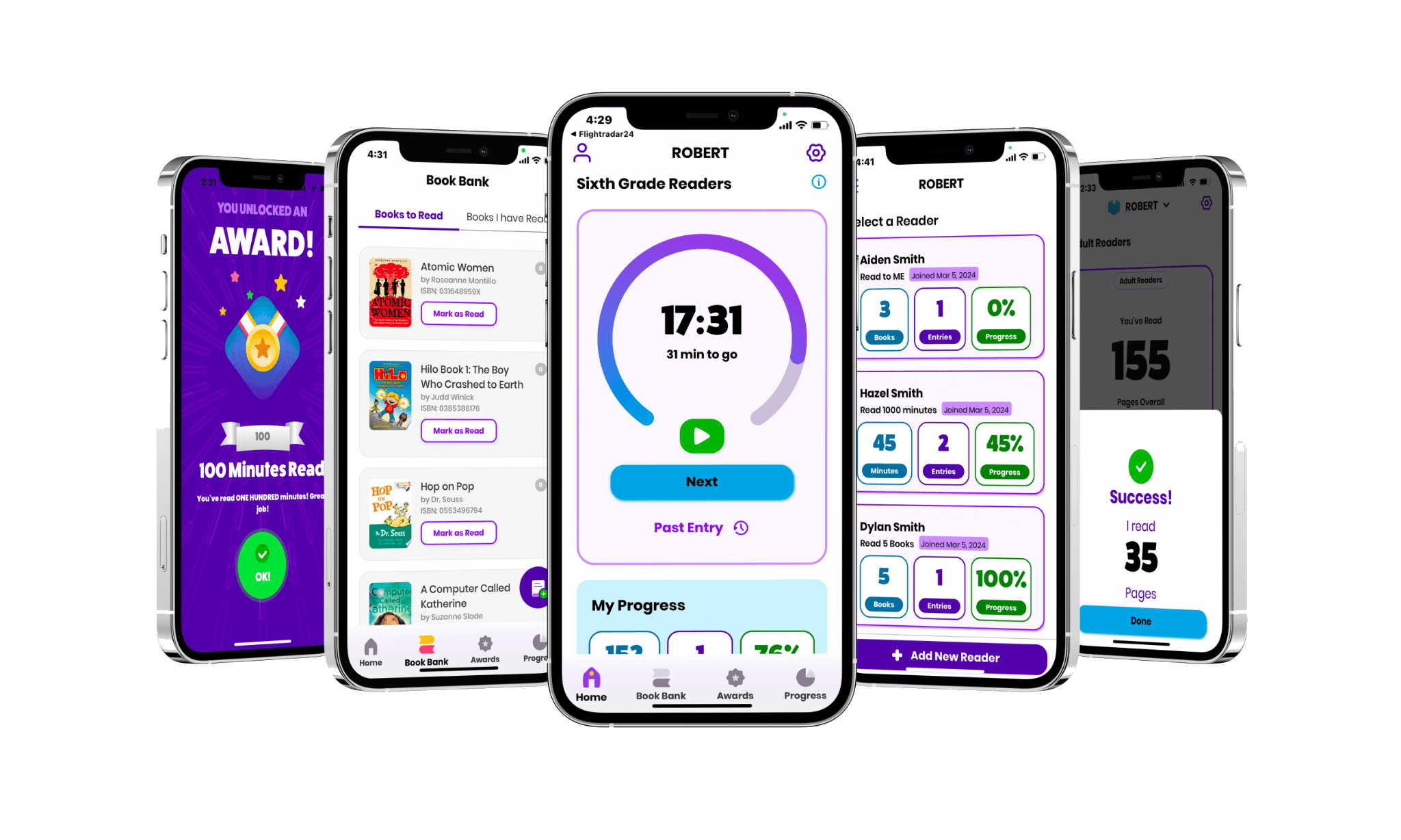
Log through the app or web, follow personal progress, use the reading timer, track books, and work toward goals and Awards.
Parents and guardians can manage multiple Readers from one account. Families can use the mobile app or web, and the mobile experience is available in English and Spanish.
Create a shared structure, connect the right students and staff, and give each school or classroom the flexibility it needs.
Choose dates, reading metrics, goals, Awards, and the school, grade, or classroom structure. Use one common Program or create separate Programs for different schools and initiatives.
Assign staff roles, invite or upload Readers, use single sign-on, and organize access around the Programs and Groups each person manages.
Follow participation in real time, compare schools or Groups, recognize milestones, communicate with participants, and export results.
Organize schools, grades, classrooms, and reading initiatives under one account, then give each staff member access to the areas they are responsible for.
Owners have full account-level visibility, can see all account data, and can create additional Owners and Managers.
Managers oversee their assigned school or campus, create new Reading Programs, and add Authorized Users to the Programs they manage.
Authorized Users manage assigned Programs, Groups, and students but cannot create new Reading Programs.
School and district plans support unlimited Authorized Users. Reader capacity is based on the selected plan.
Start with one schoolwide goal or manage multiple Programs across a district. Each Program can include Groups and Activities with their own dates, tracking methods, goals, Awards, questions, Book Banks, and participation settings.
Track minutes, pages, books, chapters, Yes/No participation, or a custom Activity metric.
Reader Zone lets leaders move from organization-wide totals to individual schools, Programs, Groups, and Readers without manually combining classroom spreadsheets or waiting for paper logs to return.
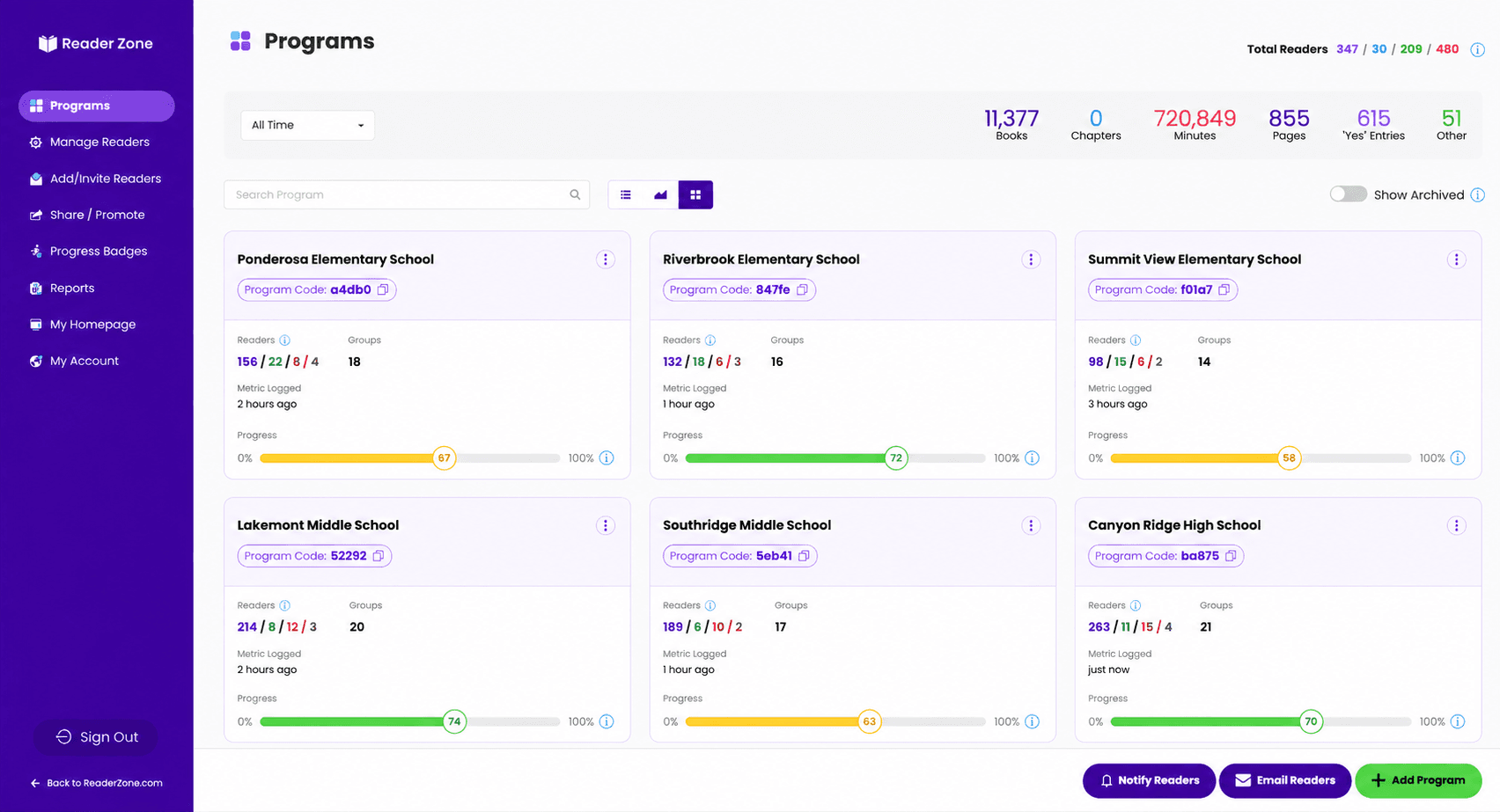
View totals by school and compare schools participating in the same district-wide initiative.
Review current activity at the school, Program, Group, or Reader level while there is still time to encourage participation.
Export Reader, Award, Group, and Program reports, download broader report packages where available, and create shareable Progress Badges.

Reader Zone supports Google, Microsoft, and Apple single sign-on for accounts of any size.
Clever and ClassLink automatic rostering are available for Reader Zone accounts with 2,500 readers or more.
Use existing roster information to organize students around schools, classes, or another desired structure.Schools can also enroll Readers through Program codes, direct invitations, CSV, XLS, or XLSX uploads, and organizer-managed accounts.
Paid plans include priority support through email, chat, or phone. Annual plans include a live onboarding session to help your team structure Programs, Groups, staff roles, and enrollment.
Reader Zone is COPPA, FERPA, and SOC 2 compliant. Its Privacy Policy describes commercially appropriate security practices and references the NIST Cybersecurity Framework and ISO 27000 series.
Read the Privacy Policy“I have never been able to follow the progress of reading over the summer before, and with Reader Zone, I am able to track student progress before school starts. I will be repeating it next year!”
 Traci CopeCrane Country Day School
School plans scale with the number of Readers you expect to enroll and support unlimited Authorized Users. Compare current plan options online, or talk with Reader Zone about a larger school or district rollout.
Need a formal proposal? Contact Reader Zone with your expected reader count.
Bring your team into the conversation
Bring your team together with a simple launch plan, shared goals, and clear next steps.
Direct answers about administration, participation, reporting, pricing, and privacy.
Yes. One Reader Zone account can contain multiple school-specific and district-wide Reading Programs. Schools can be represented through Programs or Groups, staff access can be scoped to assigned areas, and district leaders can view totals by school and compare participation across schools.
Owners have full account-level visibility and can create Owners and Managers. Managers can oversee an assigned school or campus, create Reading Programs, and add Authorized Users. Authorized Users can manage assigned Programs, Groups, and students but cannot create new Reading Programs.
Yes. Access can be scoped to selected Programs and Groups, allowing teachers and other staff members to work within their assigned areas without receiving full account-level access.
Reader Zone supports Google, Microsoft, and Apple SSO for accounts of any size. Clever and ClassLink automatic rostering are available for accounts with 2,500 readers or more. Schools can also use Program codes, direct invitations, spreadsheet uploads, and organizer-managed Readers.
Yes. Schools can configure different Programs, Groups, goals, tracking methods, Awards, and Activities for elementary, middle, and high school students. Reader Zone can be used by public, private, charter, virtual, and organized homeschool programs.
Students and families can use the Reader Zone mobile app or a web browser. A parent or guardian can manage multiple Readers from one account, and the mobile app is available in English and Spanish. Staff can also support students who need an organizer-managed participation option.
Schools can track minutes, pages, books, chapters, Yes/No participation, and custom Activity metrics. Different Groups or Activities can use different tracking methods, goals, dates, Awards, questions, and participation settings.
Reader Zone provides current activity and progress at the Reader, Group, Program, school, and organization levels. Schools can export Reader, Award, Group, and Program reports and use Progress Badges to share reading totals.
Pricing is based on the number of Readers a school or district expects to enroll. School plans support unlimited Authorized Users. Current plan options are listed on the Pricing page, and Reader Zone can provide a proposal for a larger rollout.
Reader Zone is COPPA, FERPA, and SOC 2 compliant. The Reader Zone Privacy Policy describes current information-handling, security, children’s privacy, and data-protection practices.
Classroom Edition is designed for an individual teacher running a single-classroom program. School and district plans support organization-wide structures, multiple staff roles, unlimited Authorized Users, and reader capacity based on the selected plan.
Talk with our team about your schools, staff structure, reading goals, enrollment, and reporting needs.
Looking for one classroom? Explore Classroom Edition.