
Library-controlled communication
Send or schedule email and push messages for a Program, Group or Activity, or selected participants. Share reading reminders, event news, deadlines, and celebrations.
Set up summer challenges or year-round programs for children, teens, and adults. Track reading, manage prizes, and prepare reports for your library.
Have questions about setup? Talk directly with the Reader Zone team.
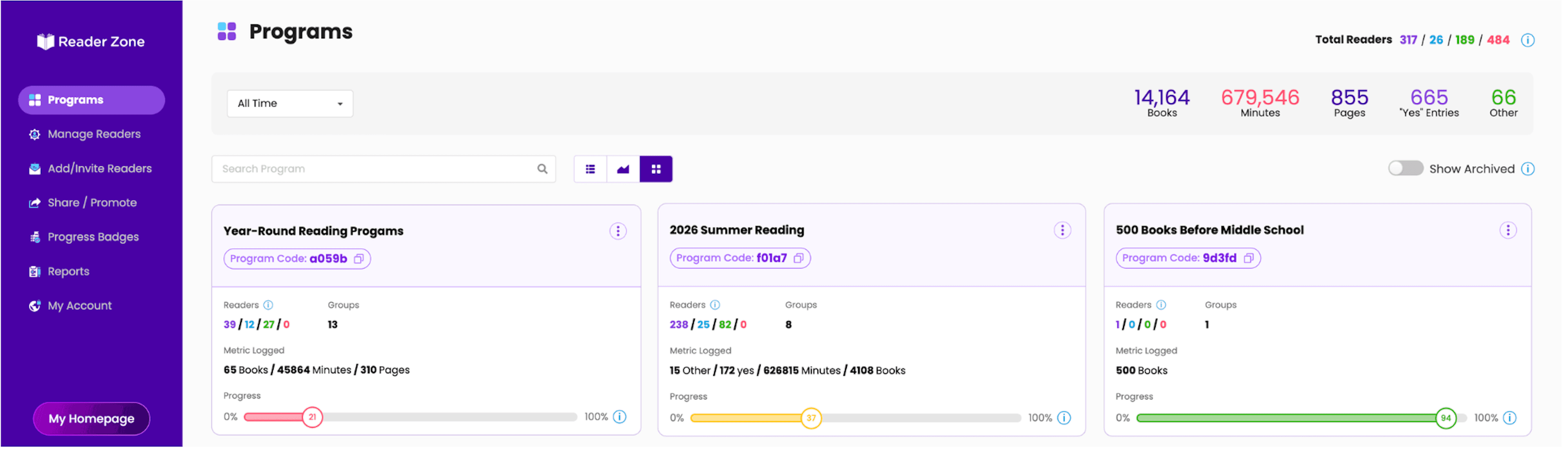
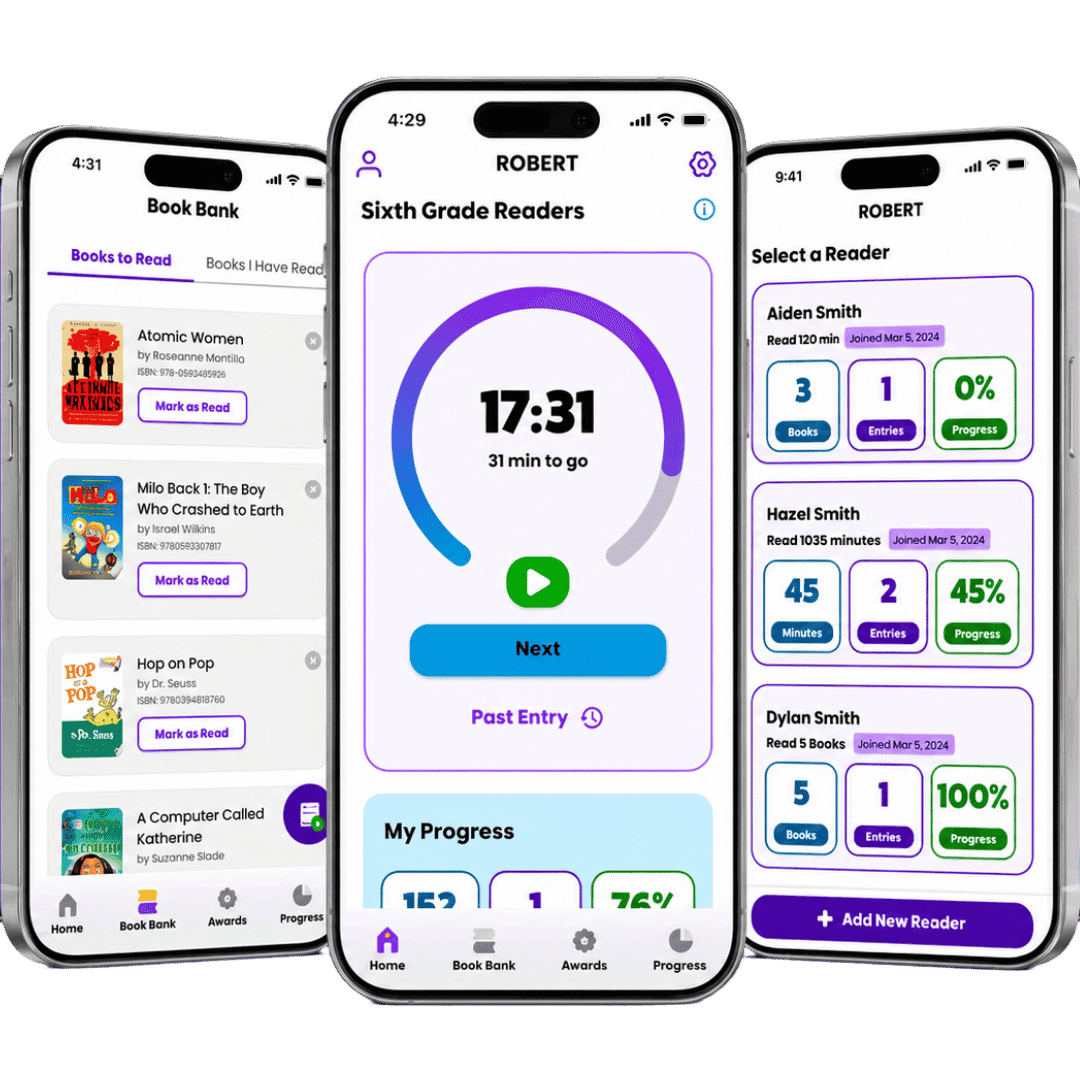
Patrons can participate through the app or a web browser. Parents can manage multiple children from one account, with separate reading entries and progress for each child.
Plan your library’s workflow →Staff can also record reading for patrons who need help or prefer paper.
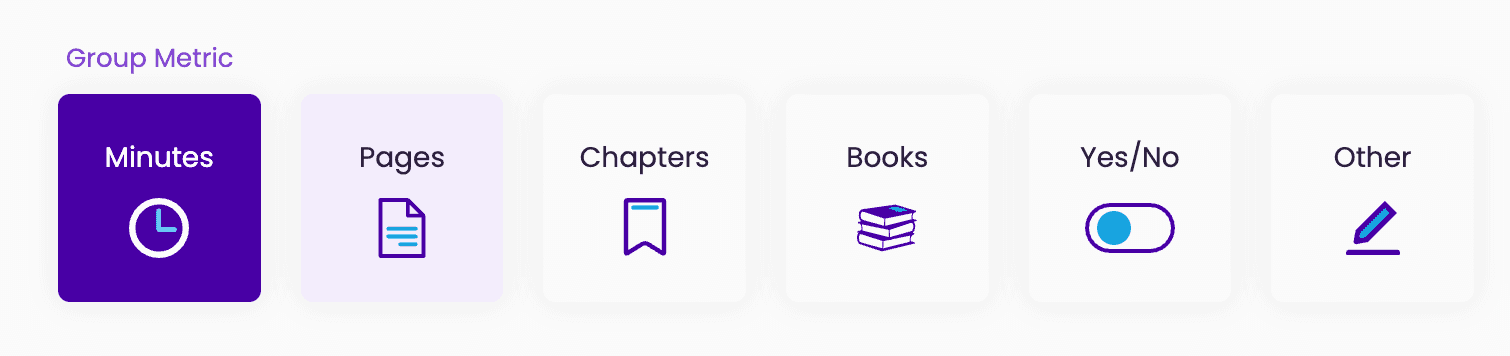
Choose the audience, dates, reading metric, goals, Awards, and Activities.
Readers join by code, log through the app or web, and follow their progress.
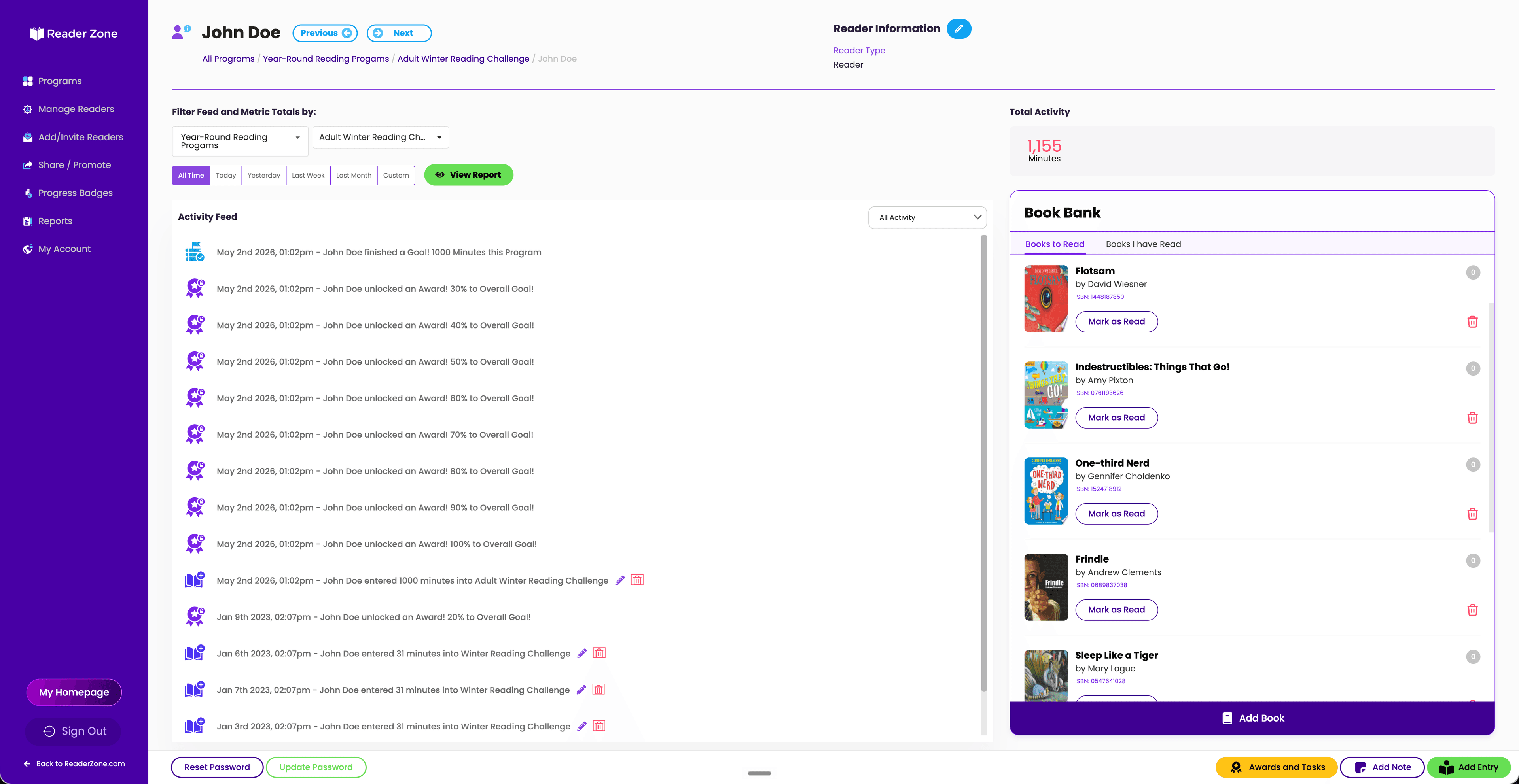
Send custom messages, see participation as it happens, and share program results.
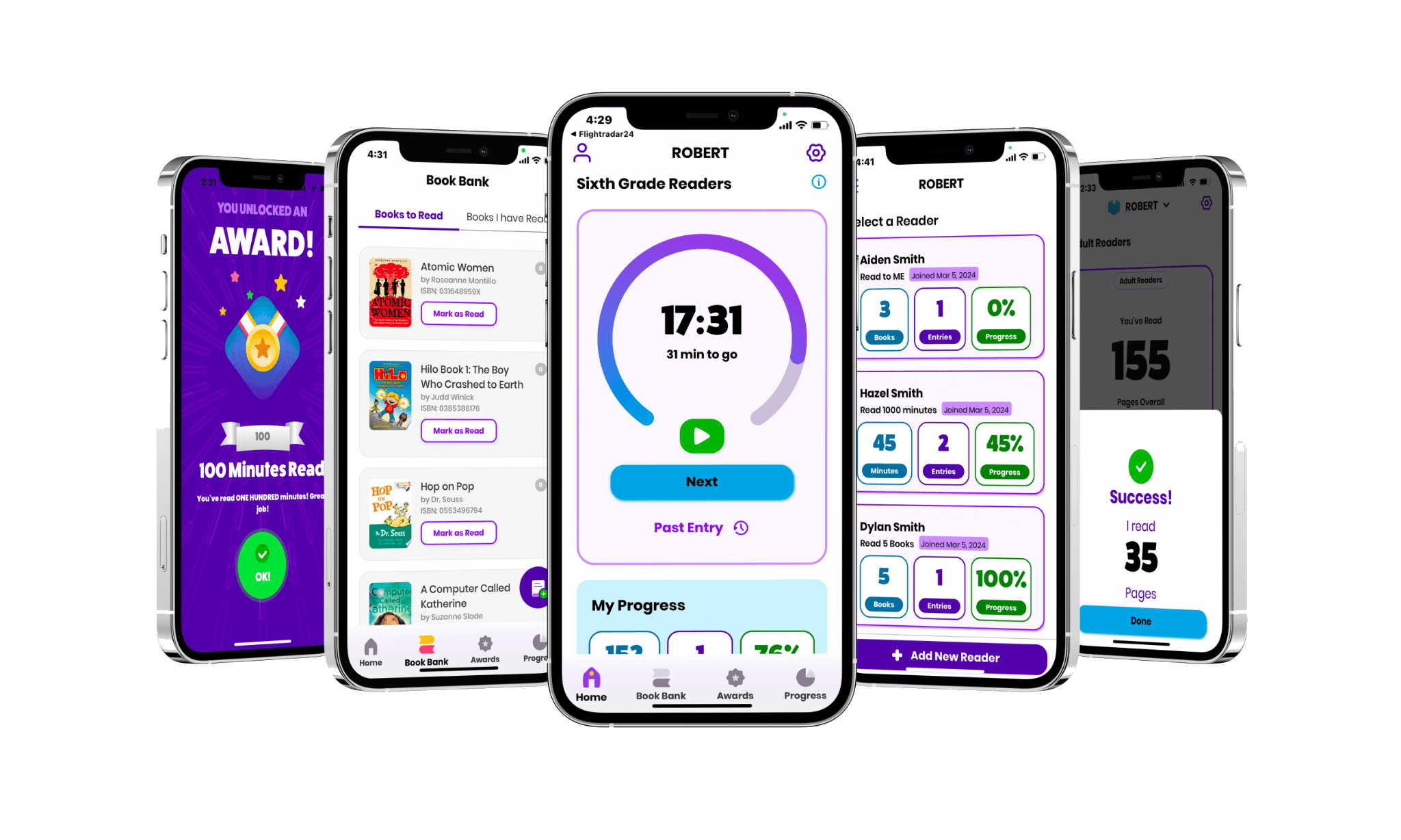
Families can manage multiple Readers from one account. Each reader can log reading and follow their own progress through the app or web.
Create appropriate experiences for children, teens, adults, branches, and other audiences within one connected reading program.
One Reading Program can contain multiple Groups and Activities. Each can use its own dates, metric, goals, Awards, questions, Book Bank, Tasks, and participation settings.
Start with Quick Start, use Advanced Setup when you need more control, or clone a successful Program when it is time to run it again.
Send timely reminders, share event news, recognize milestones, and celebrate progress throughout the program.
Your staff chooses the message, audience, and schedule.

Send or schedule email and push messages for a Program, Group or Activity, or selected participants. Share reading reminders, event news, deadlines, and celebrations.
Create milestone Awards and let Readers see their own progress. Use Award messages to connect a digital achievement with a library prize when appropriate.
Use leaderboards, Raffles, Tasks, or personal goals based on what motivates each audience.
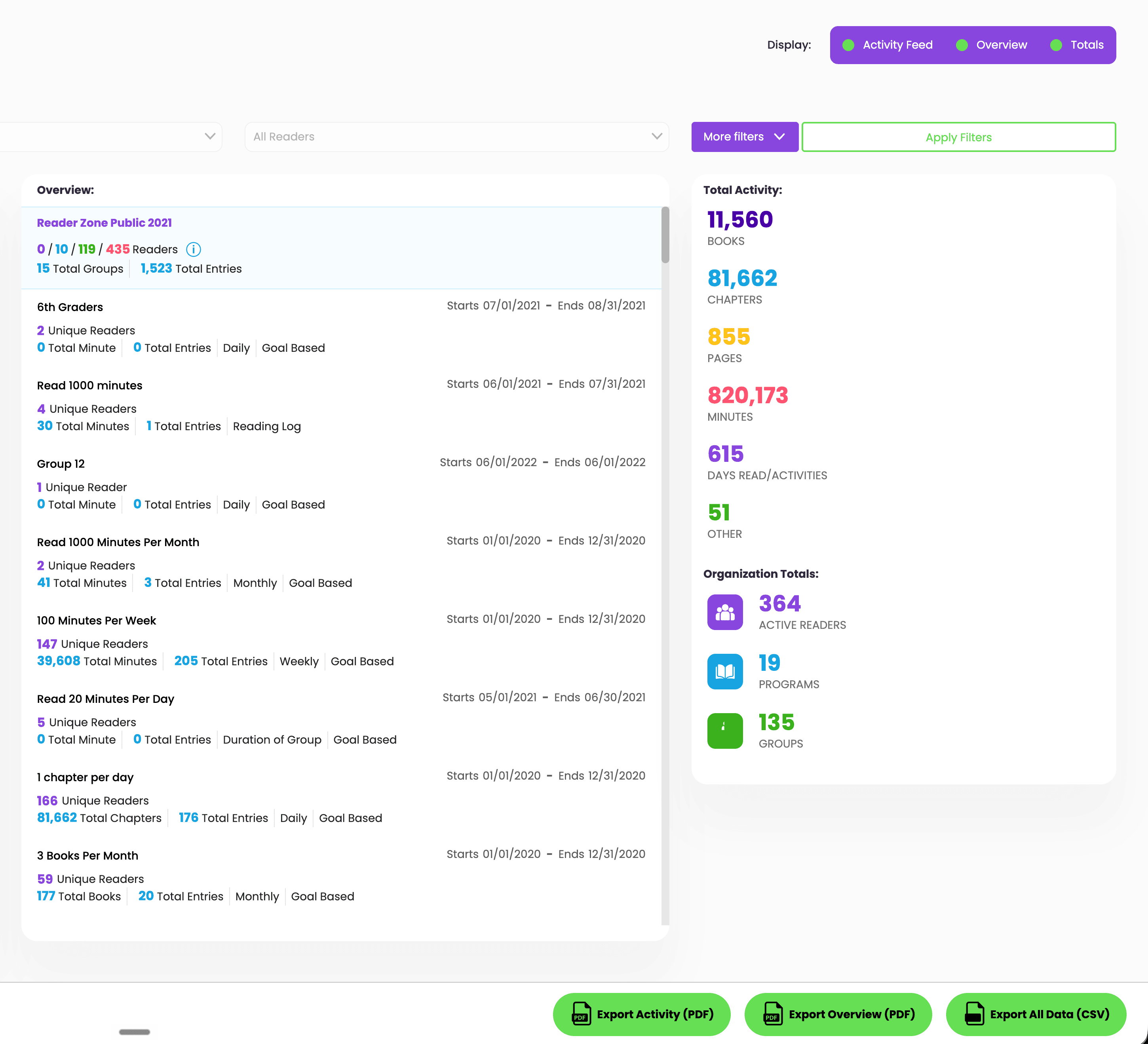
The Activity Feed and Reader, Group, and Program views show participation while there is still time to encourage readers or adjust communication.
Turn reading activity into clear updates for patrons, boards, city leaders, Friends groups, funders, and the wider community.
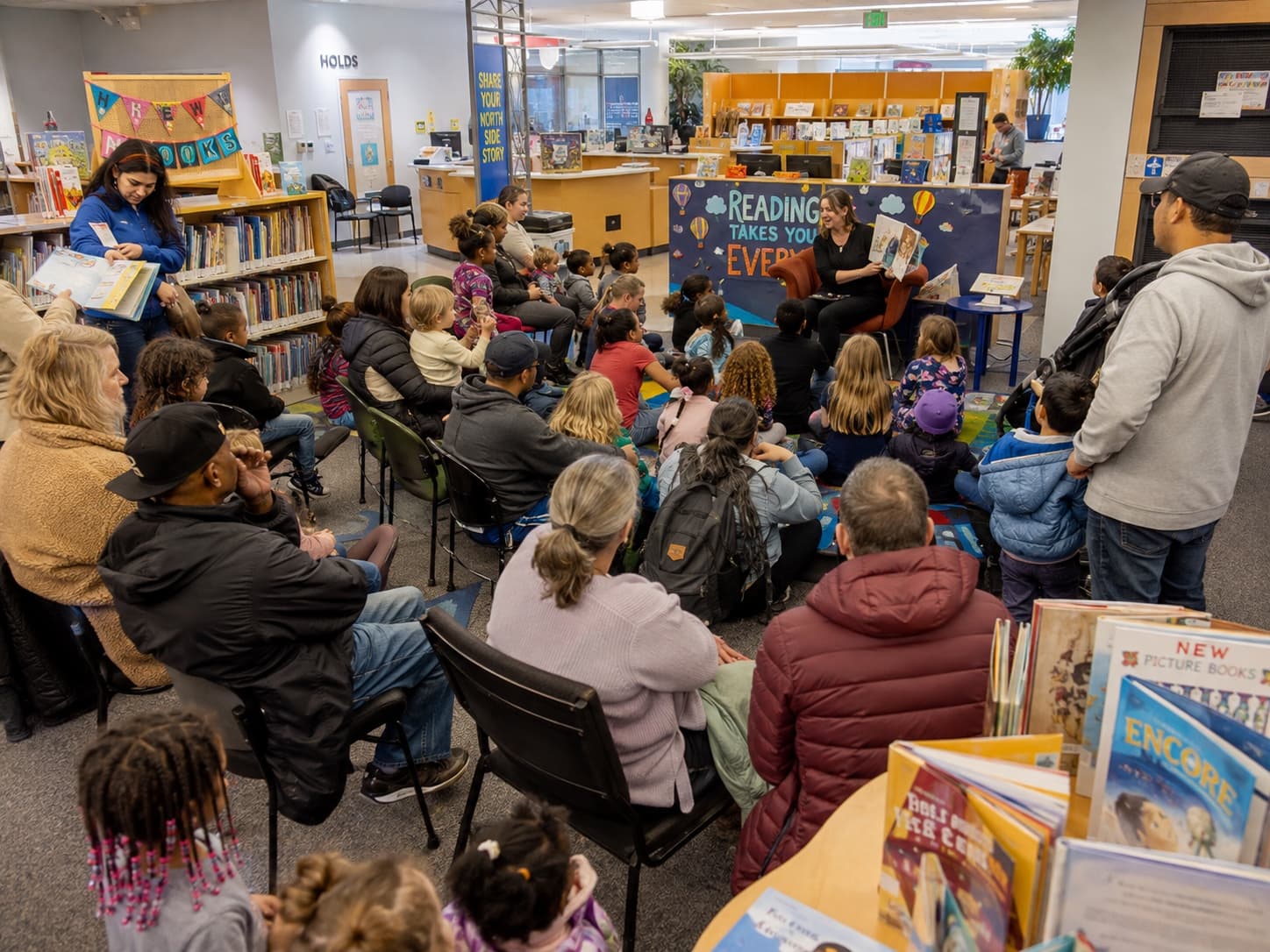
Use the same Reader Zone account to carry participation and reading habits into programs throughout the year.
Paid plans include priority support by email, chat, or phone. Annual plans include a live onboarding session with the Reader Zone team.
Compare Annual, Monthly, and 90-day Summer plans by expected reader capacity.
See pricingCurrent answers about setup, participation, reporting, pricing, and support.
Yes. One Reading Program can include multiple Groups or Activities, and each can have its own dates, tracking method, goals, Awards, questions, and Book Bank. Libraries can also run separate Programs for different audiences.
Yes. Reader Zone supports multiple Programs in one account, including summer reading, 1,000 Books Before Kindergarten, winter reading, adult and teen challenges, book clubs, genre challenges, and other library programs.
Yes. A parent or guardian can manage multiple Readers from one account, even when siblings participate in different Groups or Programs.
Readers can join and log through the Desktop Reader Portal. Staff can also create Internal Readers and manage participation on their behalf, including reading submitted offline.
Reader Zone can track minutes, pages, books, chapters, Yes/No participation, and custom Activity metrics. Different Groups or Activities in the same Program can track different things.
Yes. Library accounts support unlimited Authorized Users. Owner, Manager, and Authorized User roles can provide access to selected Programs and Groups.
Yes. Staff can send or schedule custom emails and push notifications for a Program, Group or Activity, or selected participants. Reader Zone does not currently provide saved notification templates or behavior-triggered automatic reminders.
Yes. Reader Zone provides Reader, Award, Group, and Program spreadsheet reports. Progress Badges can be downloaded, shared, or embedded on a website.
The Reader Zone mobile app is fully available in English and Spanish. The Organizer dashboard is not currently described as fully translated.
Reader capacity determines the plan range. Libraries can compare Annual, Monthly, and 90-day Summer options on the Pricing page.
Current paid plans include priority support by email, chat, or phone. Annual plans also include a live onboarding session. Libraries can request a proposal by emailing help@readerzone.com with an approximate reader count.
Talk with our team or compare plans and pricing.