
Awards, Badges and Raffles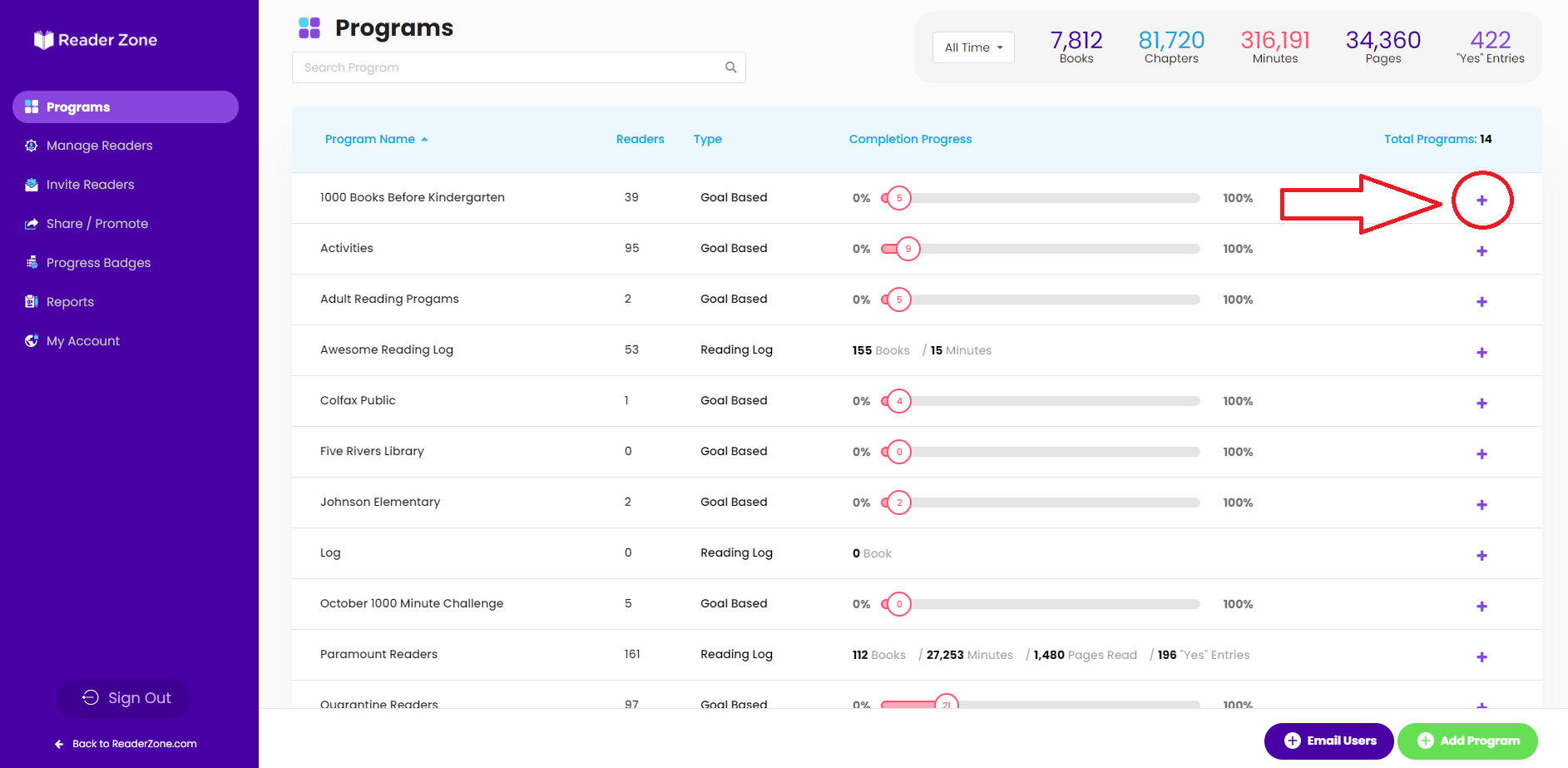
Knowledge Base
Edit Awards for Multiple Groups at Once
Easily edit Awards for all Groups at once
Some Reading Programs hold multiple Groups with the same award settings.
Easily edit all the Groups at one time by using the Advanced Editor.
Here's How To Do It:
1. Select the purple "plus sign" located next to the Program you wish to edit.
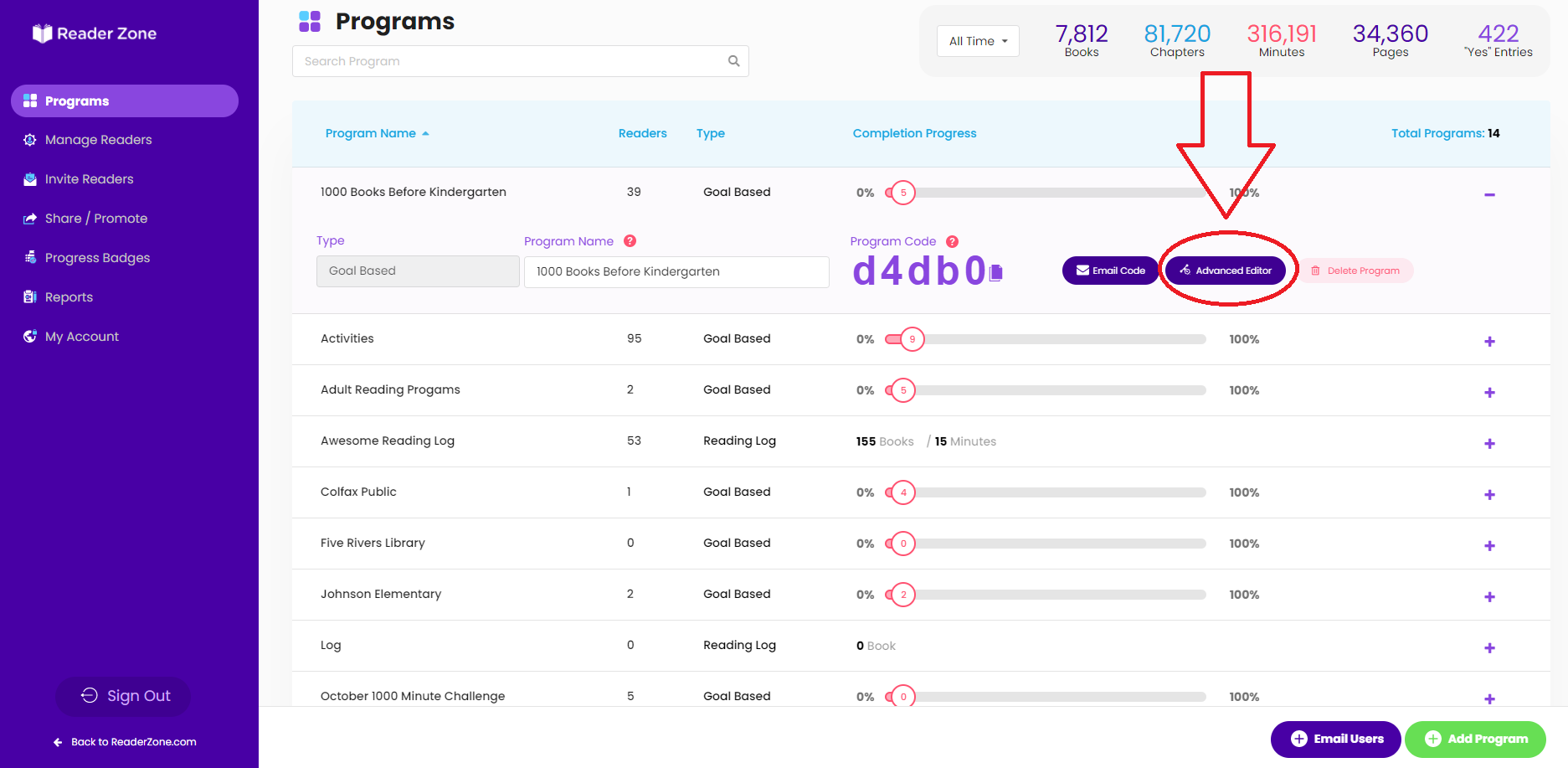
2. Select the Advanced Editor.
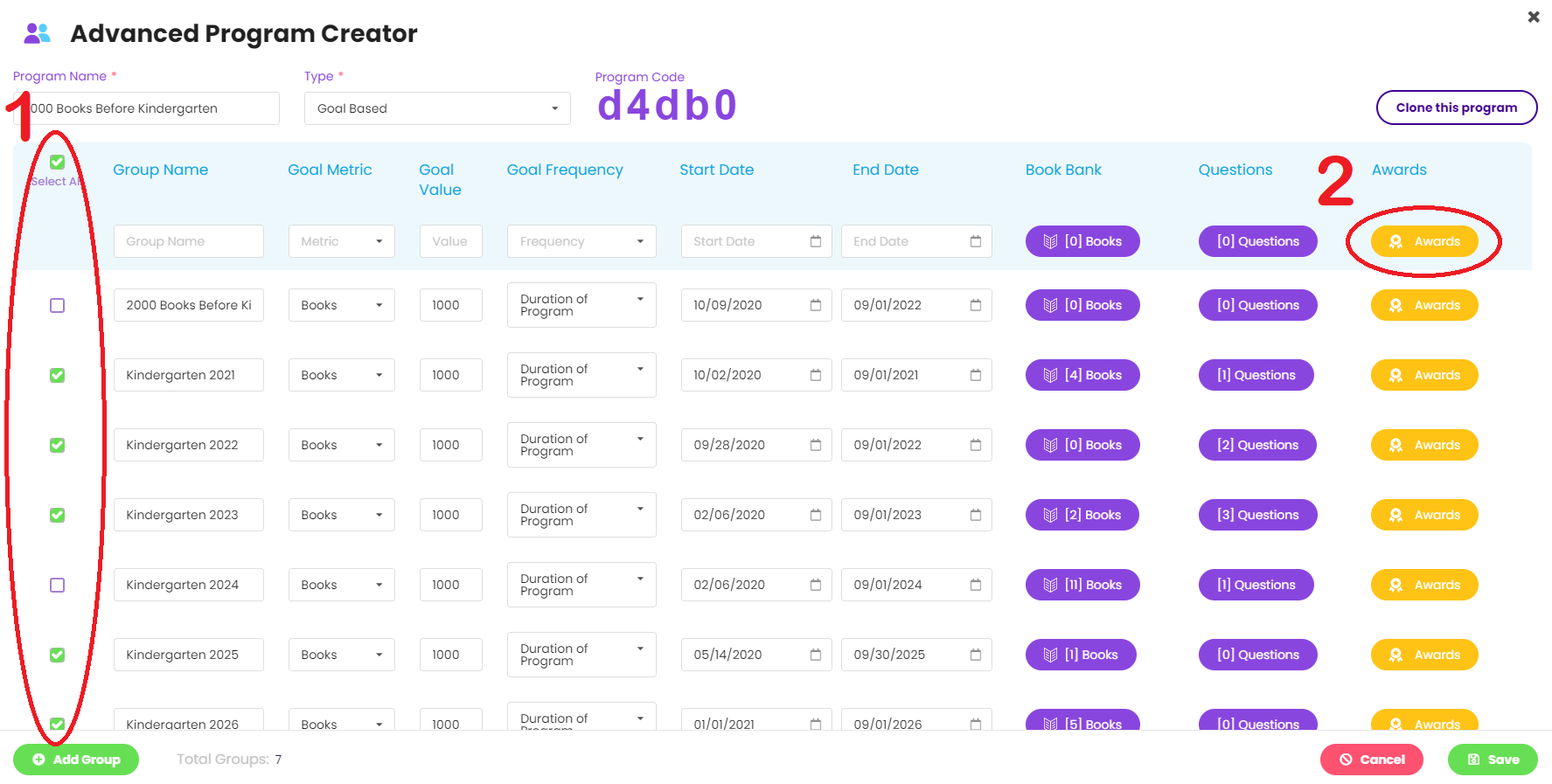
3.Select all Groups you wish to work with. Then select the awards button.
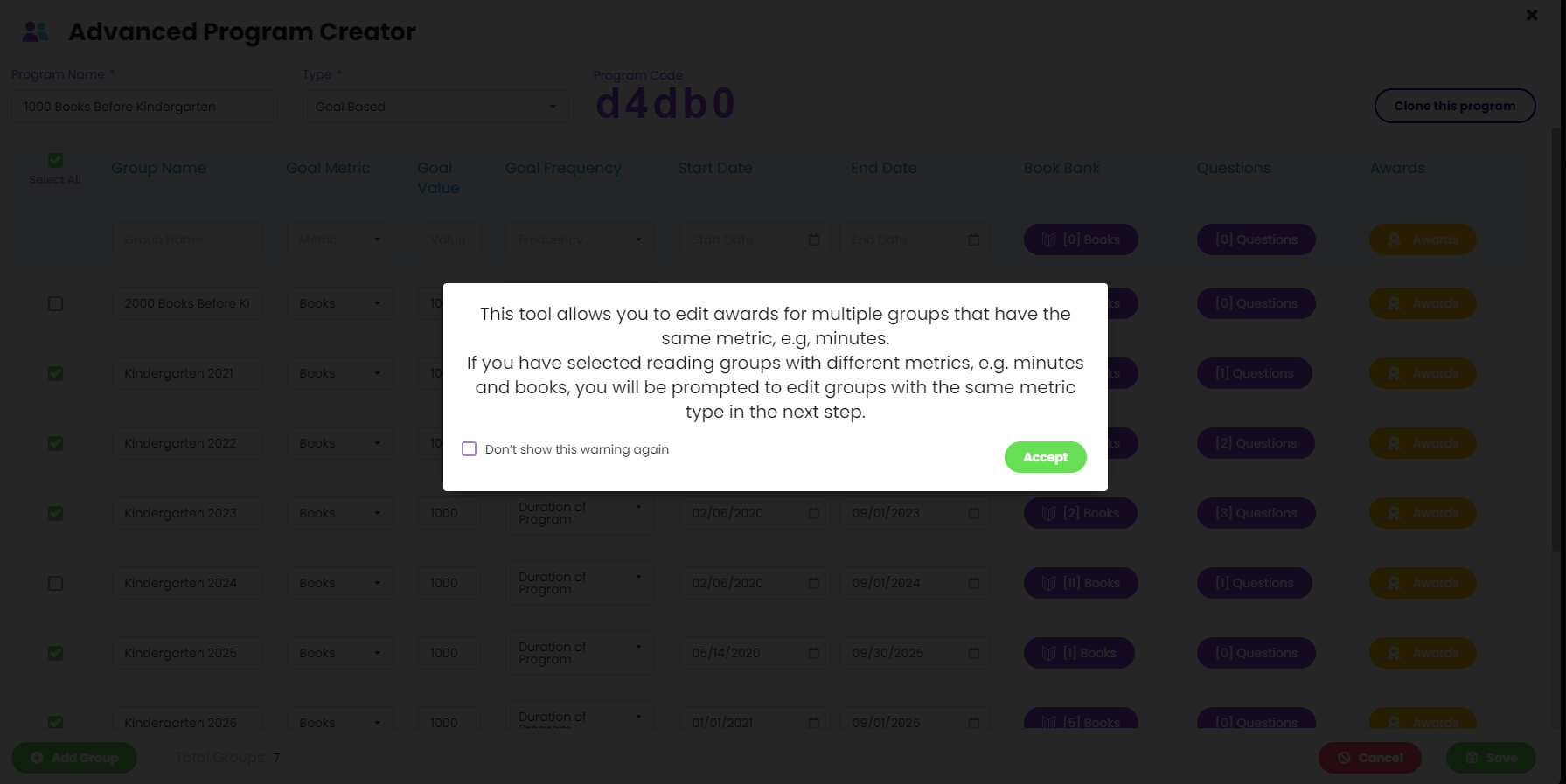
4. Now you will see a note explaining that you need to be editing Groups with the same metric.
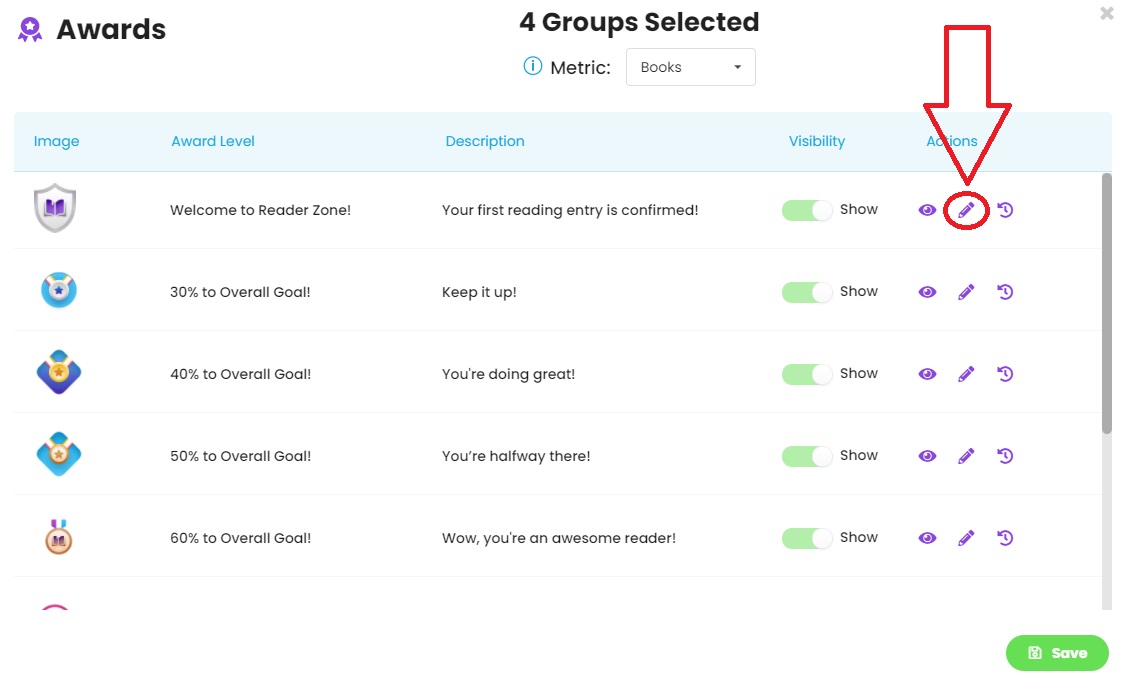
5. Now click the pencil icon next to the award needed.
*Note: This will always only show the defult awards. If you want to see the work you saved, visit a Group individually.
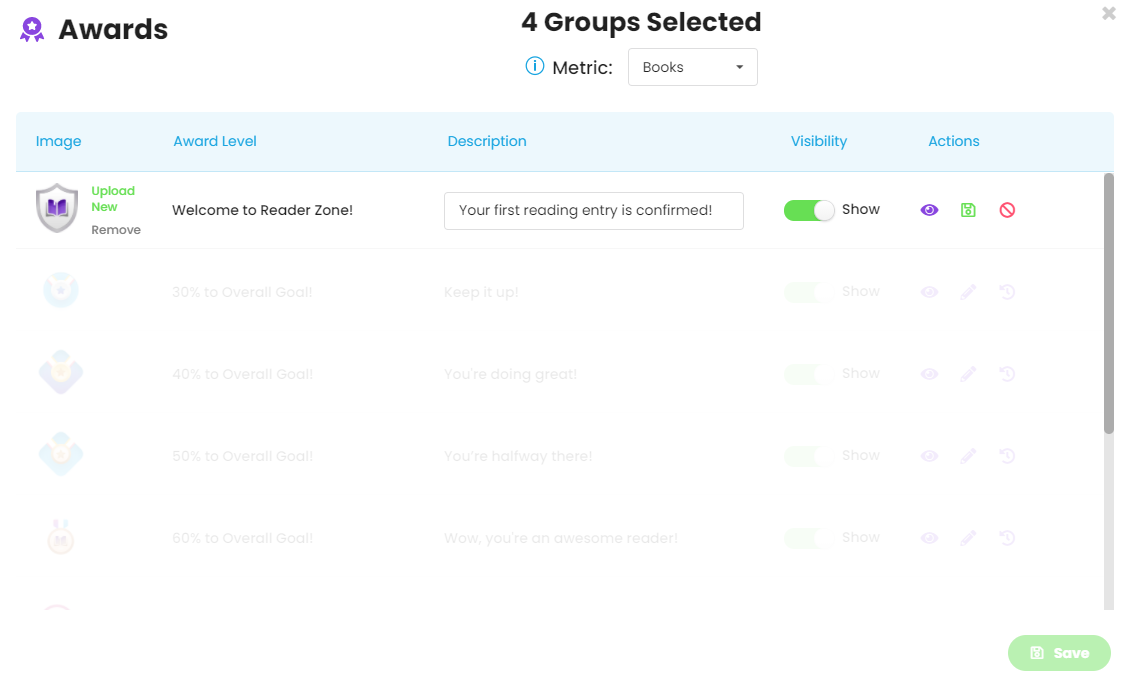
6. From here you will be able to edit the image, description, and visability.