
A proposal you can discuss together
Start with one shared reading goal.
Bring your team together around a reading program, a simple launch plan, and goals you can follow.
The purpose
Make participation visible across your program.
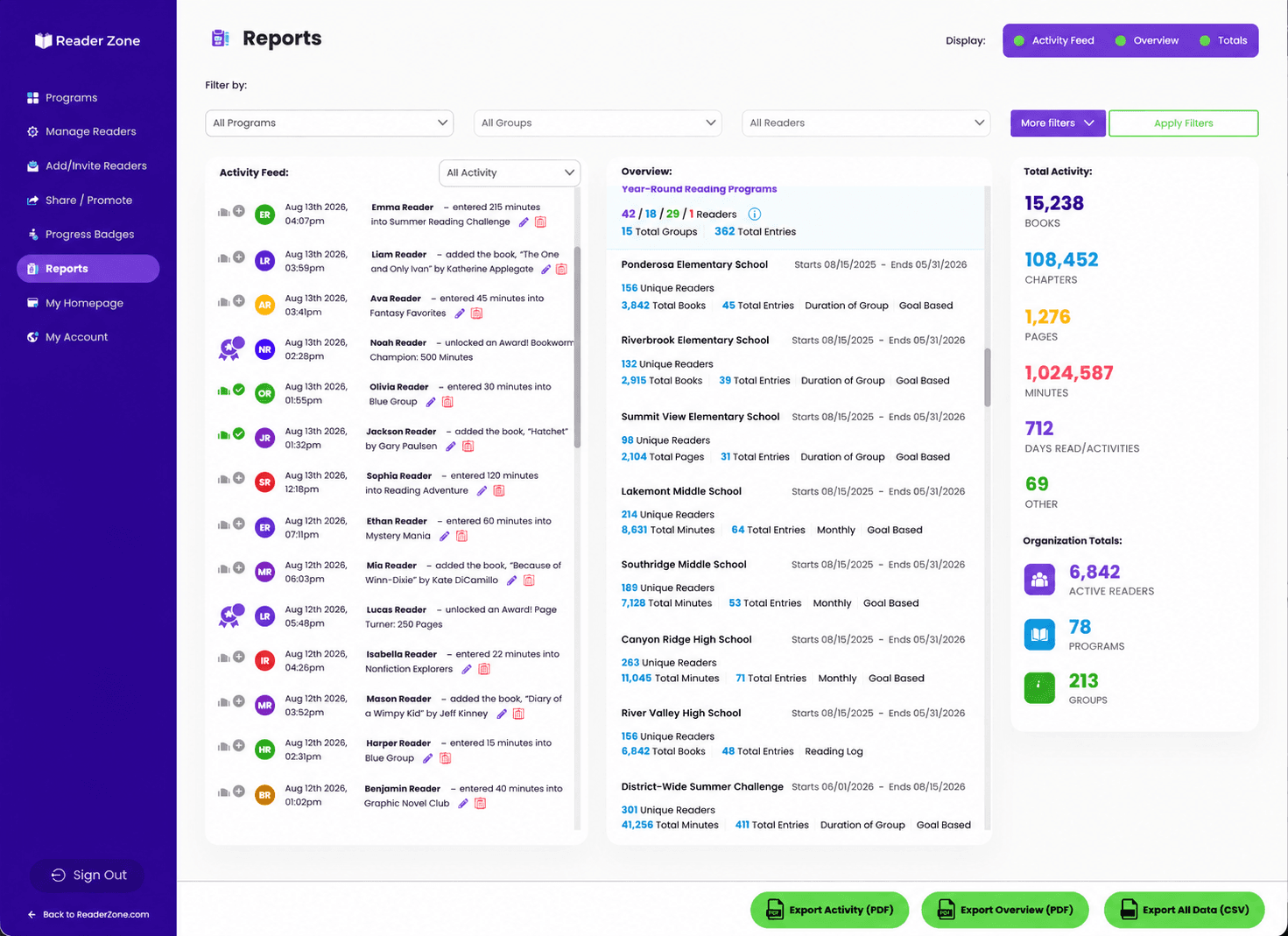
Reader Zone brings reading entries, goals, family participation, and staff reporting together. A school can organize one shared challenge or give grades and classrooms their own Groups.
Suggested pilot
Start small. Build momentum.
Choose the audience and goal.
Choose a class, grade, or school community. Set a timeframe, pick a reading goal, and name your program lead.
Try the staff and family routine.
Build a sample Program, assign staff access, and test joining and logging. Families can manage multiple Readers through the app or web; staff can enter reading for students who need another option.
Trial Edition allows up to 10 Readers with no preset time limit. Choose a paid plan when you’re ready for more readers.
Review before expanding.
Celebrate participation, gather feedback from teachers and families, and decide what to build on as you invite more classrooms.
People before software
Give each person a clear responsibility.
- Principal or school approver
- Agree on the purpose, budget, staff time, privacy review, and decision date.
- Librarian or program lead
- Set up the Program, coordinate launch materials, support staff, and prepare the review.
- Participating teachers
- Explain the routine, review assigned students’ participation, and follow up where needed.
- Students and families
- Join, log reading, and share questions or access difficulties with the program team.
School plans include unlimited staff accounts, with roles matched to each person’s responsibilities.
Budget and approval
Confirm the fit before you launch.
Capacity and support
School pricing depends on reader capacity. Annual, Monthly, and 90-day Summer options are published online. Onboarding and support by email, chat, and phone are included.
For a formal proposal, send your expected reader count to help@readerzone.com.
Easy ways to join
Program codes, invitations, and supported file uploads offer enrollment options. Google, Microsoft, and Apple sign-in are supported. Clever and ClassLink automatic rostering is available for accounts with at least 2,500 Readers.
Find data-handling details in our privacy policy. Our team can help with your school’s security and accessibility questions.
Bring this to the decision meeting
Set your program up for success.
Staff lead / review date:
Talk through your school’s plan.
Bring your goals, staff structure, and expected reader count.