
Paper logs, spreadsheets, or software?
Keep paper participation.
Simplify the work behind it.
Paper can work well for patrons. Reading-program software becomes worth a look when your staff need shared progress, coordinated prize pickup, and reports that bring the program together.
A practical comparison by Reader Zone. Jump to the transition checklist.
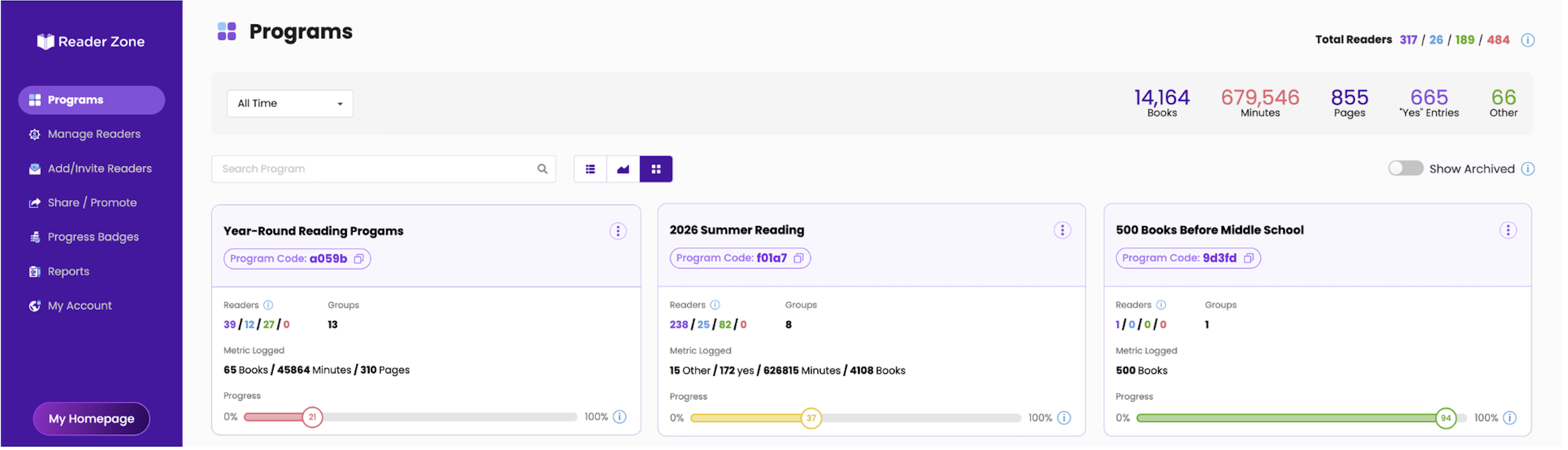
Compare the whole workflow
Where does the work happen?
A spreadsheet can be a capable system. The question is how much your team wants to build and maintain—and how easily the next staff member can pick up where you left off.
On a narrow screen, scroll the table to compare all three options.
| Staff workflow | Paper-first tracking | Forms + spreadsheets | Reader Zone |
|---|---|---|---|
| Recording reading | Patrons keep a log; staff collect it at the desk or at program end. | Patrons submit a form or staff enter paper submissions into a shared sheet. | Patrons log in the app or Desktop Reader Portal; staff enter reading for Internal Readers. |
| Totals and progress | Patrons or staff total entries. Staff visibility depends on when logs arrive. | Formulas can total entries. Accuracy depends on the sheet’s structure and maintained formulas. | Recorded entries contribute to the configured Group goal. Paper reading appears after staff enter it. |
| Family participation | A separate log can work for each family member. | A form or sheet can separate family members if identifiers are consistent. | A family account can manage multiple Readers, each with their own participation. |
| Prize eligibility and pickup | Staff check the log and mark a separate pickup record. | Columns and formulas can track milestones; staff maintain pickup status. | Awards recognize milestones. Staff-only Tasks can record prize pickup. |
| Staff handoffs | Staff share the log, binder, or desk notes. | Shared sheets support collaboration; the team defines access and editing procedures. | Authorized staff consult Reader records and Tasks within their configured access. |
| Program reporting | Staff count participants and combine submitted totals. | Filters, pivot tables, and automation can support reports when configured and maintained. | Reader, Award, Group, and Program spreadsheet reports support program review. |
| Ongoing work | Print and distribute logs, collect entries, total results, and store records. | Maintain forms, identifiers, formulas, access, and exceptions. | Configure the program, help readers, enter assisted participation, and review exceptions. |
Two ways to participate
One program. A choice of how to log.
Patron enters reading
Join the program → log through the app or Desktop Reader Portal → review recorded progress.
Families can manage multiple Readers from one account.
Staff enter paper reading
Patron submits a log → staff find the correct Reader → staff record the reading → review recorded progress.
An Internal Reader is a participant whose account and entries are managed by library staff.
Paper activity appears in Reader Zone after staff enter it. Choose a regular entry schedule so patrons know when their progress will be available.
How to add and manage Internal Readers
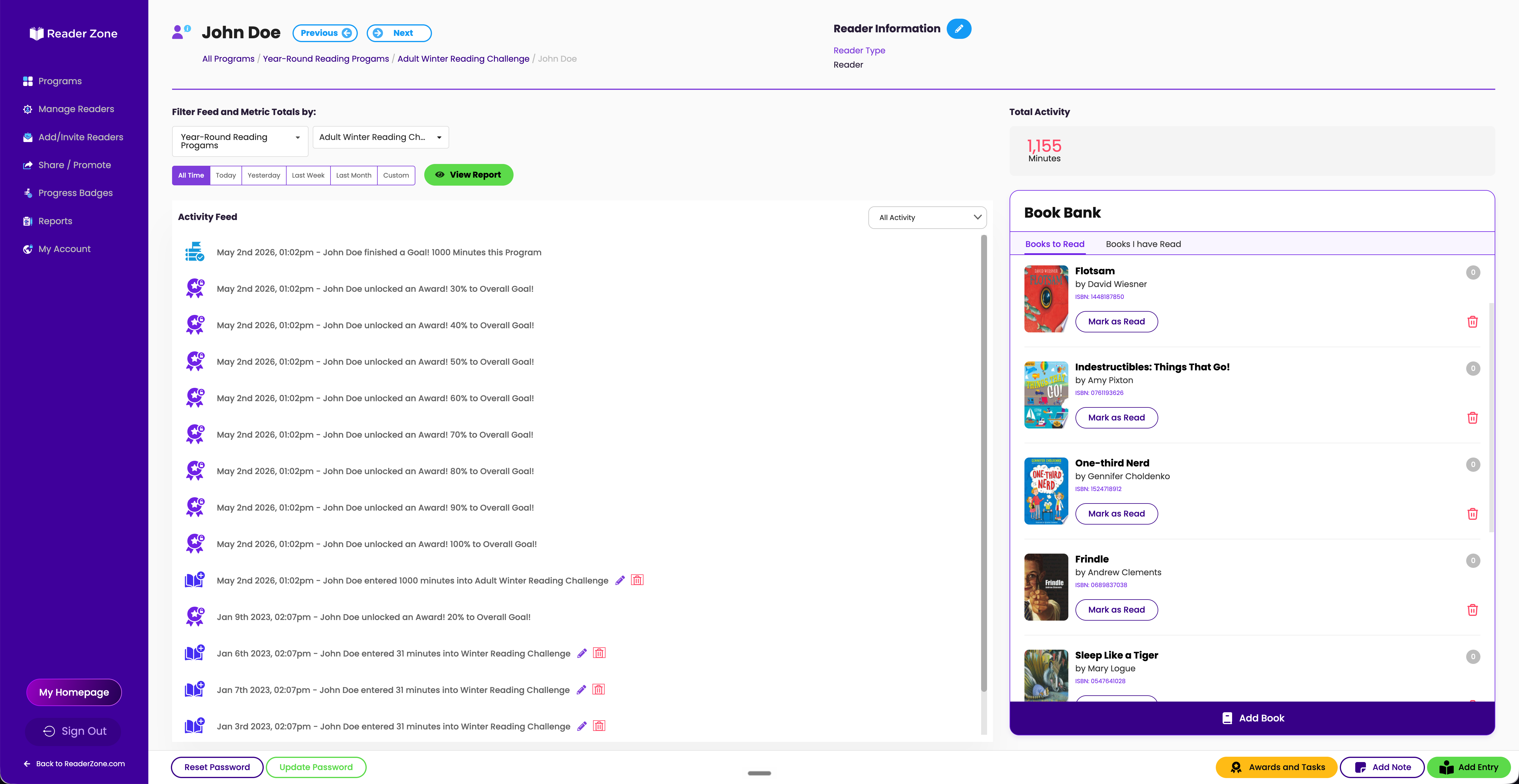
Example library procedure
Keep the desk handoff simple.
A library offers digital logging and keeps printed logs at the desk. A designated staff member enters each paper submission against the correct Reader, then marks the submitted log as entered using the library’s agreed method.
Staff review submissions at the end of each shift. If a patron uses both methods, they check which entries are already recorded before adding more. That check is a staff procedure.
Once the reading is recorded, the team can review milestones and track prize pickup separately from eligibility.
A suggested rollout
Your transition checklist.
Start with one program, rehearse the everyday tasks, and agree on who handles exceptions.
Program / staff lead: _______________________________________
Choose the setup your team can sustain.
Paper or a sheet may be enough.
If one staff member can comfortably review entries, your prize rules are straightforward, and end-of-program totals answer your questions, your current process may fit well.
Evaluate software when work is spreading.
If multiple shifts need current records, families want online access, or reporting means repeatedly combining files, try those specific workflows in Reader Zone.
Use the library software buyer’s guide to compare access, support, and cost alongside participation.
A few practical questions.
Is a smartphone app required?
No. Readers can use the Desktop Reader Portal, or staff can manage participation for Internal Readers.
What happens to our earlier records?
Decide which records need to move and which can stay in your archive. Bring your actual files to the team to confirm what can be imported. Moving arbitrary reading history from a spreadsheet should not be assumed.
Bring your current reading log.
We can walk through participation, prize rules, and reporting questions with your library’s program in mind.