
From the milestone to the library desk
Track reading prize pickup in Reader Zone.
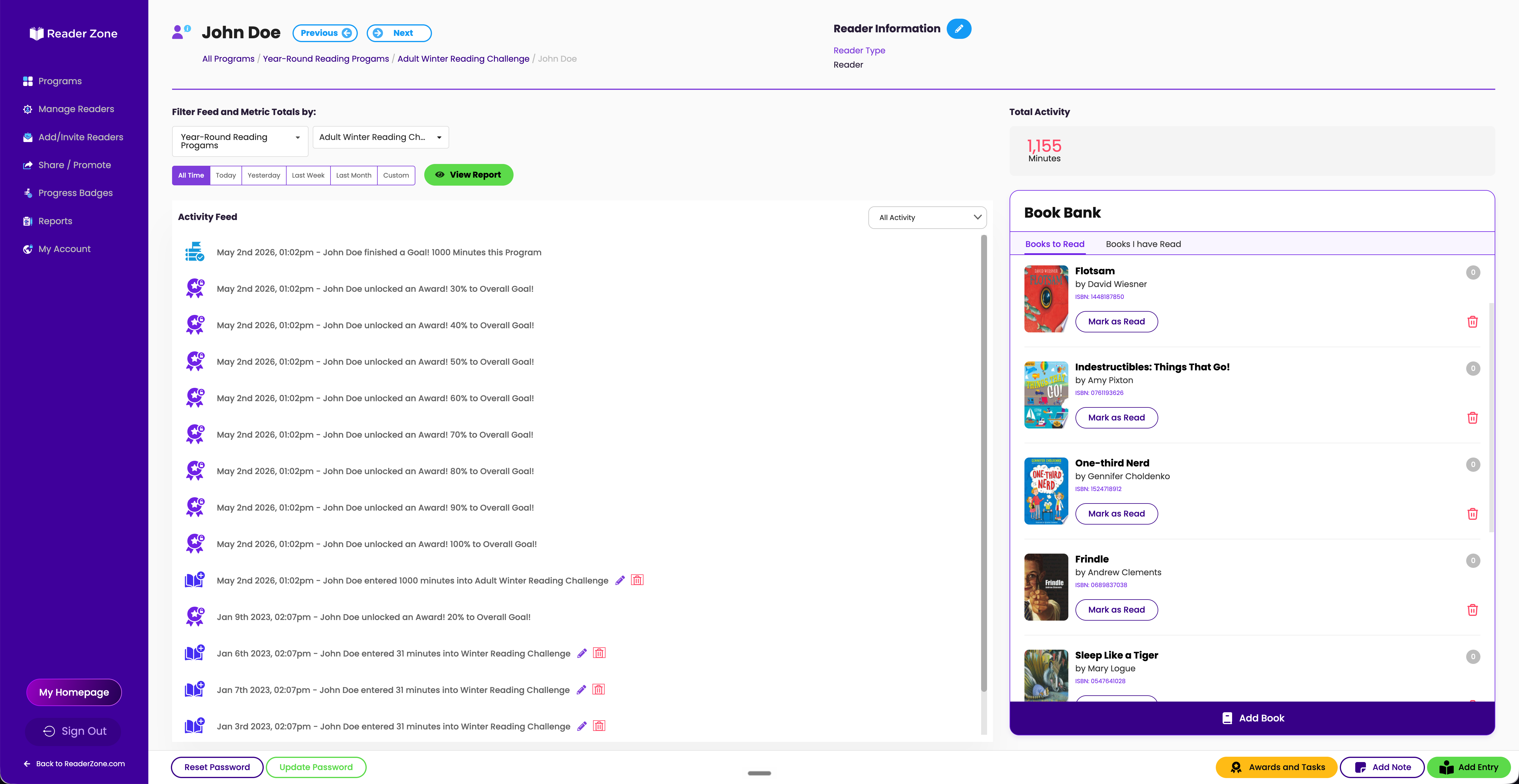
Use Awards to recognize reading milestones and staff-only Tasks to record prize pickup. Staff can check who is eligible, see which pickups are complete, and record the handoff when a reader collects a prize.
A workflow guide by Reader Zone. See the pickup workflow or print the desk checklist.
Eligibility and pickup
Keep earned prizes and collected prizes separate.
A reader can earn a prize before visiting the library. Pair the milestone Award with a pickup Task so staff can check both parts of the process.
| Use | What it records | Example |
|---|---|---|
| Award | The reader reached a configured reading or Activity milestone. | 150 minutes logged; a book is ready to collect. |
| Completed Task | Staff completed an action for that reader. | The 150-minute book prize was handed over. |
Readers see Awards and their instructions. Only staff can see and complete Tasks.
Example · a book after 150 logged minutes
How to track a reading prize from earned to picked up
Set the milestone and prize instructions.
Create an Award for the reading threshold. Use its message to tell readers what they earned and where to collect it. This example uses 150 minutes; your library chooses the threshold and reward.
Create a Task for the pickup.
In the same Group or Activity, open Awards and Tasks and select Create Task. Use a clear title, such as “150-minute prize picked up,” add staff instructions, and choose the milestone Award as the Task Trigger.
Check the reader’s Award and Task.
At the desk, open the correct Reader Page and select Awards and Tasks. Confirm the Group or Activity, the earned Award, and whether the matching pickup Task is already complete.
Hand over the prize, then record pickup.
Give the eligible reader the reward and check off the matching Task. If the Task is already complete, follow your library’s replacement or disputed-pickup policy before giving another prize.
Review pickups across staff shifts.
Use the Task’s reader list to review eligibility and completion, search for a reader, or download its CSV. Give pickup staff access to the relevant Programs and Groups so they can consult the same records.
Example staff procedure
Prize-pickup desk checklist.
Use the same steps across shifts. Adapt them to your program and local policy.
Staff lead / questions: _______________________________________
Need a manual pickup record?
Use the blank tracker from the winter reading kit for a paper-led program or a local desk process. It has fields for program, reader reference, Group, milestone, eligibility check date, pickup status and date, staff initials, and notes.
This is a manual spreadsheet template, not a Reader Zone import file. Use local identifiers and keep unnecessary personal details out of notes.
Download blank prize tracker (CSV)Optional drawings
Choose who can enter the raffle
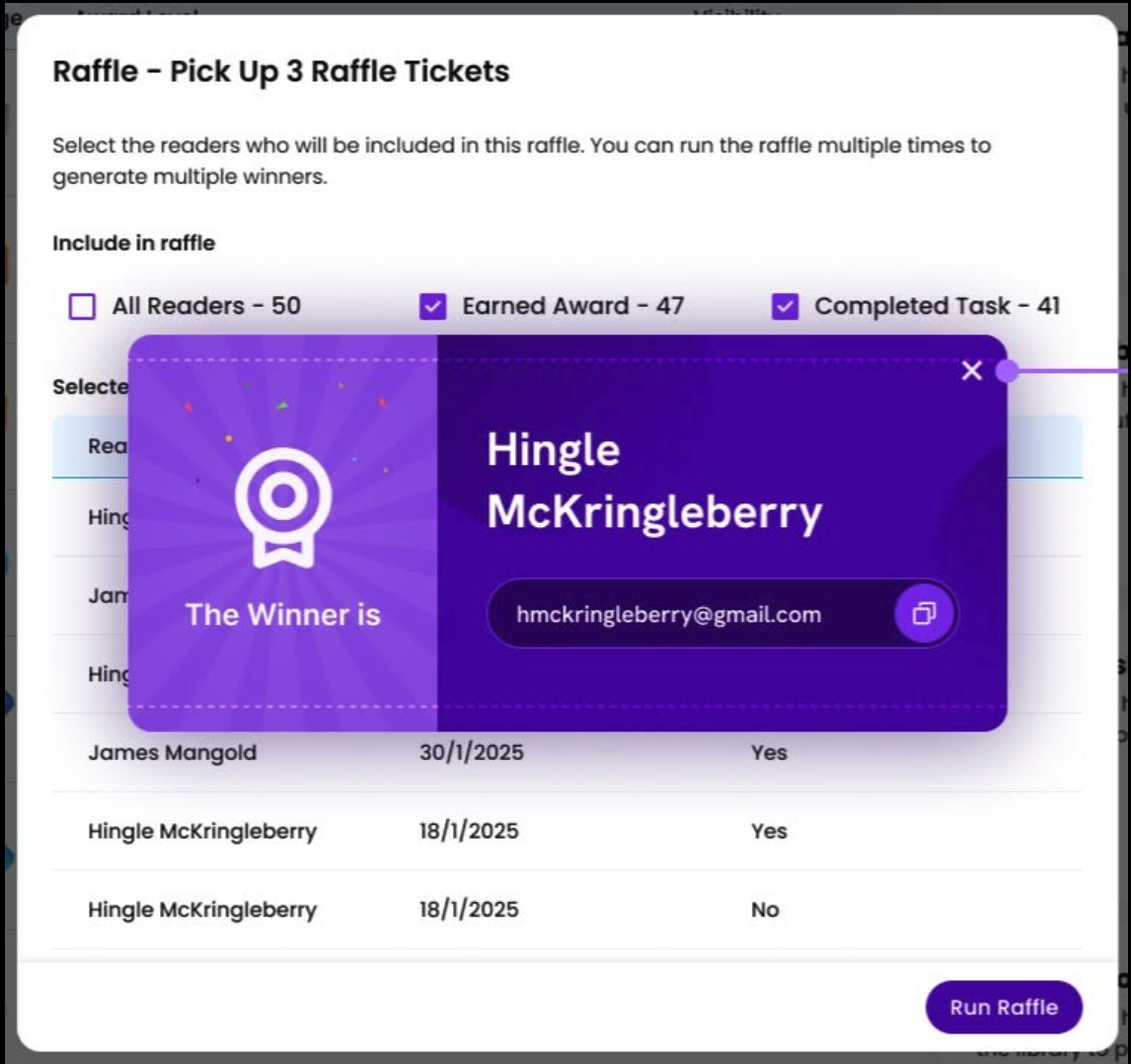
A Raffle can include all participants, Readers who earned a selected Award, or Readers with a selected completed Task. Those can be different groups of people.
For example, readers who earned the 150-minute Award may include people who have not visited the desk. Use that Award if reaching the milestone is the drawing rule. Don’t silently make prize pickup a condition of entering.
Staff run the drawing and contact the winner. See the Raffle setup guide.
Paper entries and corrections
Paper entries and branch access
Staff must enter paper reading before reviewing eligibility. Confirm that the people handling pickups can access the right Programs and Groups.
Corrections and program reports
Set a local policy for corrected entries after a reward has been given. Review Reader, Award, Group, and Program spreadsheet reports alongside your pickup records.
Questions about reading prize pickup
Can staff review which readers still need to collect a prize?
The Task list shows eligible readers and Task completion. Staff can search that list and download a CSV. Keep the pickup Task incomplete until the prize is handed over.
Can readers mark their own pickup Task complete?
No. Tasks are internal staff actions. Put collection instructions in the reader-facing Award message.
Do we have to give physical prizes?
No. Awards can recognize reading milestones without a physical reward. Add pickup Tasks where your program needs a staff handoff record.
Walk through your actual prize rules.
Bring a milestone, a pickup process, and a drawing rule. See how the staff workflow fits before you choose.